Lin Sizhe
I'm an independent Android developer. I build small, focused tools in my spare time and write the notification guides published on this site. I'm not affiliated with any phone manufacturer or carrier, and I don't run an agency — just one person who got tired of important notifications disappearing.
Why I write these guides
Most "notification help" content online is either a one-line forum answer or a thin page stuffed with keywords. I wanted a place with clear, step-by-step instructions that match what you see on a modern Android phone — Xiaomi, Samsung, Pixel and stock Android included. The guides here are written to be useful on their own, whether or not you ever install anything, and they say plainly which steps come from a phone in my hand and which come from documented settings.
Why there's also an app
After writing the guides, I kept hitting the same wall: Android has no reliable built-in "pin this notification to the top" that works across every phone. So I took Pinnit by Sasikanth Miriyampalli (Apache License 2.0) and adapted it into Dingpin — a free, open-source app that pins and keeps notifications visible. The app is one option among many; the guides cover the built-in methods too.
Editorial independence
To be straight about it: I maintain Dingpin, so this site naturally mentions it. But the guides are not advertorials. Where a built-in setting does the job, I say so. Where Dingpin helps and a stock feature doesn't, I say that too. Recommendations are based on what I've actually tested on real devices, not on what I happen to ship.
Credentials & transparency
- Independent developer; the source code for Dingpin is public on GitHub.
- Guides are written around the devices I can actually test on — Xiaomi HyperOS, MIUI and an iQOO Neo11 — and clearly marked where a device was not in my hands.
- This site is supported by Google AdSense, disclosed in the Privacy Policy. The ads don't influence what I write.
Tested on real devices
I don't have a device lab. Dingpin is tested the way a one-person project actually gets tested: on my own phone every day, plus the other phones I could get hold of. This is the complete list — nothing has been added to make it look bigger.
| Device | Software | What was checked | When |
|---|---|---|---|
| Xiaomi 14 my daily phone |
HyperOS | Every release is used here first: pinning, history, quick-settings tile, backup and restore, multi-select delete. | Jul–Nov 2026 |
| Redmi family member's phone |
MIUI | Install, granting notification access, pinning and history on the older MIUI notification shade. | 2026 |
| iQOO Neo11 tested device |
Android version not recorded | Tested as well: install, granting notification access, pinning and reading history all worked normally. I didn't write down the Android version, so I don't claim more than that. | 2026 |
All three phones ran Dingpin normally — HyperOS, MIUI and the iQOO Neo11. I have not tested on Samsung One UI or Pixel devices myself, so where a guide describes those systems it is based on documented Android behaviour and the manufacturers' published settings paths — not on a phone in my hand. If you own one and something differs, the contact page is the quickest way to get it corrected.
Screenshots from those devices
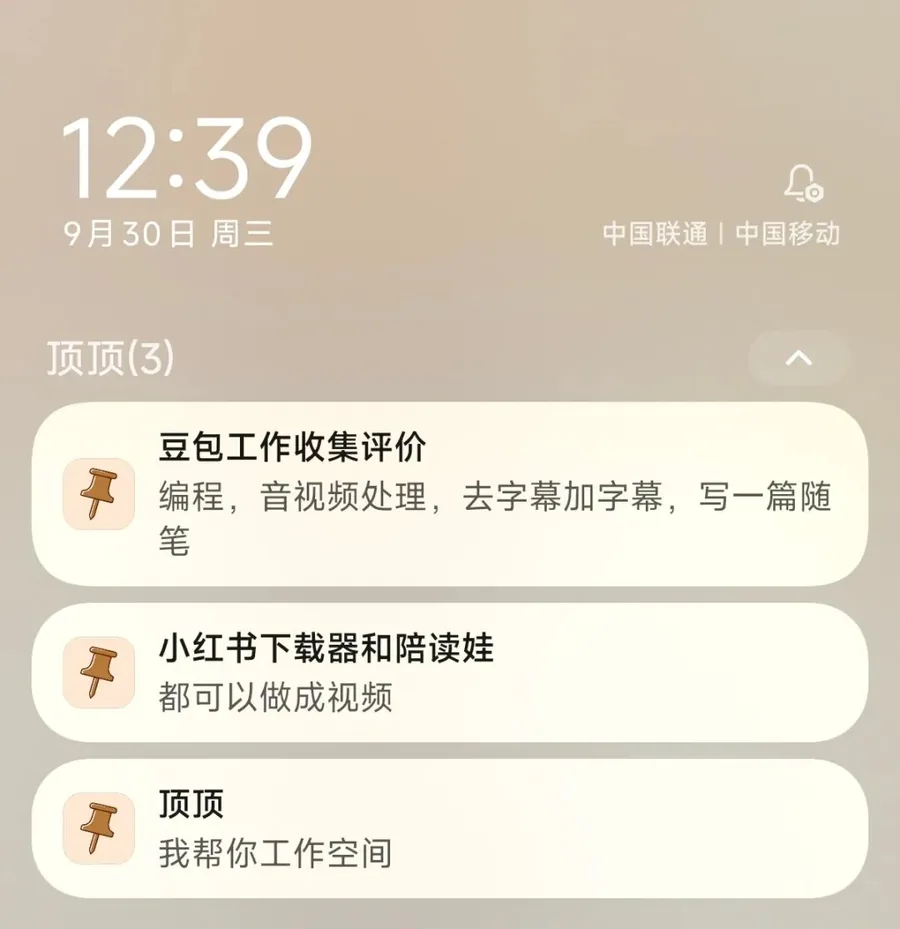
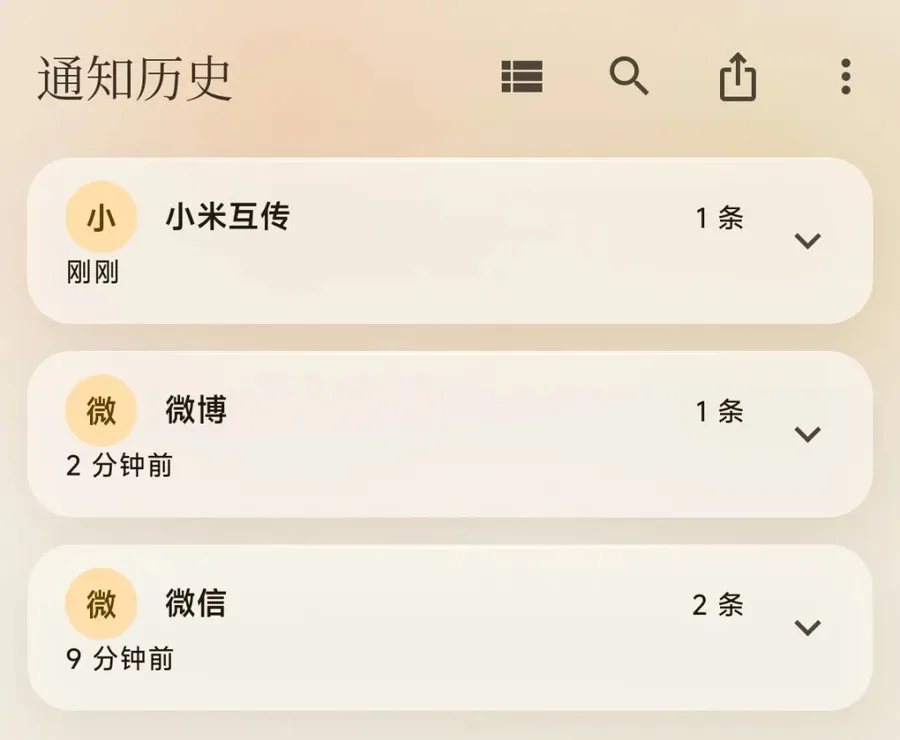
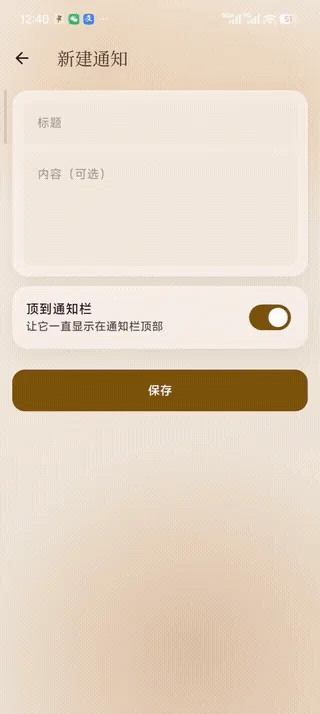
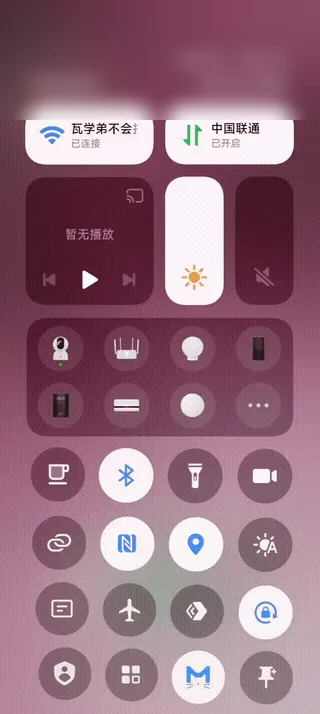
Unmodified captures taken while using Dingpin on a Xiaomi 14 running HyperOS in September 2026. They show the pinned cards on the lock screen, notification history grouped by app, the rebuilt note editor, and the quick-settings tile. The network name in the tile capture is blurred.
Who uses it
Dingpin is distributed as a free APK from this site, so I have no store install figures to quote. What I do have is steady word-of-mouth feedback from people using it on their own phones — that feedback is where most of the requests in the changelog came from. I would rather say that plainly than invent a download number.
Get in touch
Found something outdated or wrong? Email chaoshanaxing@gmail.com or open an issue on GitHub. Corrections are welcome — they make the guides better for everyone.