Android Notification Management — All Guides
Thirty-nine hands-on guides covering the most common Android notification problems and the fastest fixes — from pinning important alerts to recovering lost history, silencing noisy apps, muting one person or a group, fixing grouping, clearing persistent alerts, and fine-tuning bubbles, pop-ups, floating alerts, sound vs vibration, and the lock screen — plus Samsung-specific history and apps, Android 15 and Android 16 fixes, notification cooldown, blocked-notification recovery, missing settings, silent alerts, the missing notification light, and unblocking apps, plus car (Android Auto) and wearable (Wear OS / Galaxy Watch) notification tips and a 2026 app comparison.
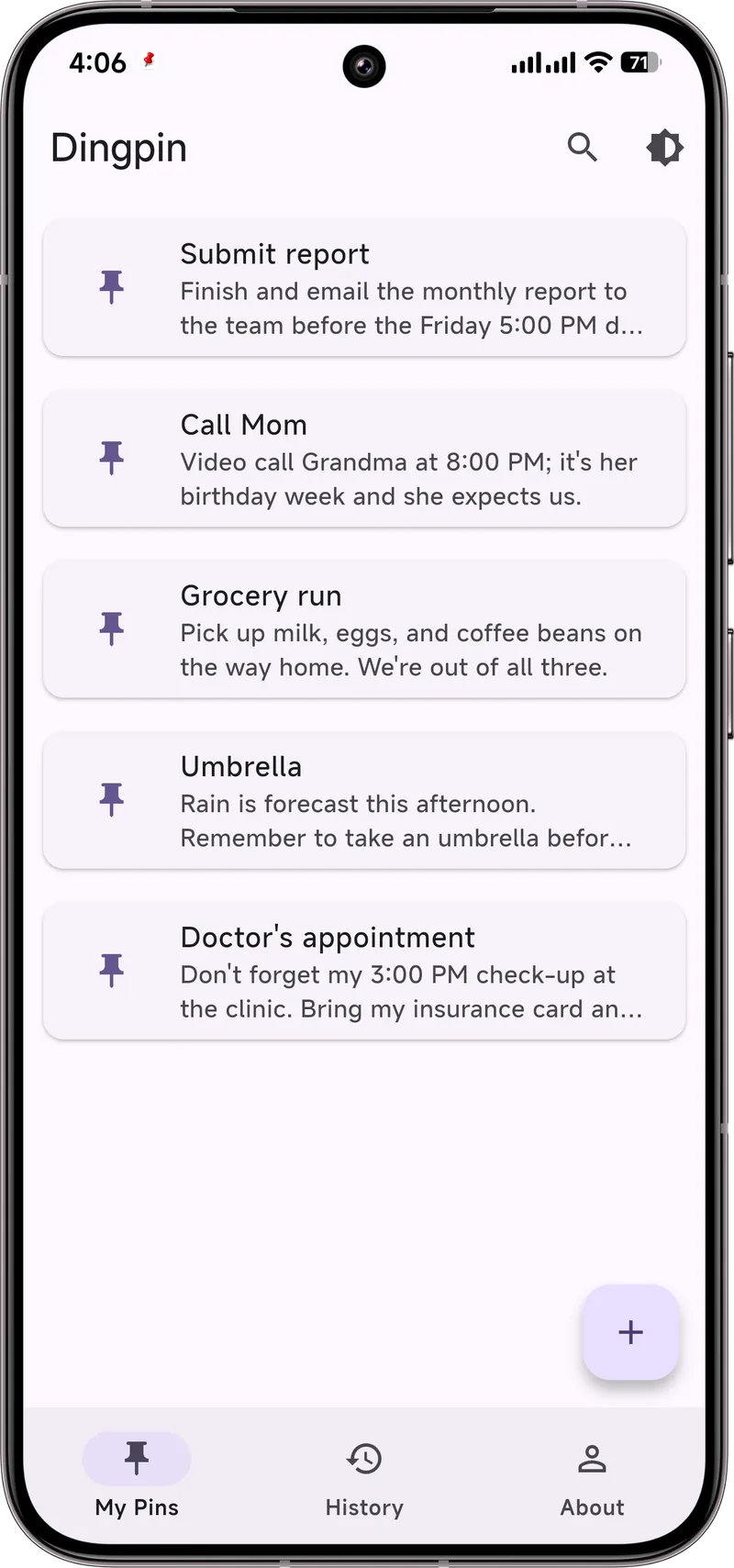
Pin & organize
How to Pin Notifications on Android
Step by step: keep important messages, OTPs and reminders pinned to the top.
Best Notification Manager Apps
The best apps to organize, filter and take control of your notifications in 2026.
Best Notification Apps for Samsung
The best Galaxy notification apps in 2026 — what to look for and why Dingpin leads for pinning.
App Comparison 2026
Dingpin vs the rest: pinning, history, privacy, and price compared across notification managers.
When notifications go missing
Why Notifications Disappear (and Fixes)
Why notifications vanish on Android — and the settings that stop it.
Recover Notification History
Lost a notification? Recover deleted notification history on any Android.
Fix Delayed or Missing Notifications
Fix alerts that arrive late or never show up — including OEM battery killers.
Notification History Widget
Put your notification history one tap away with a home-screen widget or quick-settings tile.
Android 15 Notifications Not Working
Fix alerts that stopped after the update, including the new notification cooldown.
Pixel Notification History
Turn on stock-Android history on your Pixel and recover dismissed alerts.
Xiaomi / Redmi / HyperOS History
Where the Notification History log hides on MIUI and HyperOS — and what to do if it's missing.
See Blocked Notifications
Why an app went quiet, how to check what's blocked, and how to stop missing alerts.
Notification Settings Missing
Can't find the notification menu? Where it hides on Samsung, Pixel and Xiaomi.
Android 16 Changes
What shifts after the Android 16 update and how to re-tune alerts, cooldown, DND, and channels.
Sound, visibility & privacy
Android Notification Channels
What notification channels are, and how to customize them on Android 8+.
Keep Notifications Private (Lock Screen)
Keep message previews off your lock screen for real privacy.
Not Showing on Lock Screen
Fix alerts that stopped appearing on the lock screen — without leaking text.
Silent Notifications Explained
What a silent notification is, and how to quiet an app without blocking it.
No Notification Light?
Bring back a visual alert with Always-On Display, edge lighting, or LED apps.
Notification Sound Not Working
7 fixes when alerts arrive silent — DND, channels, Bluetooth, and battery savers.
Turn Off Notifications
Silence one app, one category, or your whole phone — without missing what matters.
Notification Importance
Set priority alerts so key messages break through while the noise stays quiet.
Floating Notifications
What heads-up banners are, how to enable or silence them per app, and how they differ from bubbles.
Sound Off, Vibrate On
Mute notification sound but keep the buzz — globally or per app via channels.
What Is a Heads-Up Notification?
What a heads-up banner is, why it pops up, and how to control or silence it.
Pin a Notification on Samsung
Pin any notification to the top on Samsung One UI — no extra app needed.
Stop Important Alerts Disappearing
Keep key notifications from vanishing before you've read them.
Make Notifications More Visible
Bigger, brighter, louder — make the alerts that matter impossible to miss.
Notification Bundles & Grouping
How notification bundles work, and how to group or ungroup alerts.
Car & wearable (Auto, Wear OS)
Android Auto Alerts
Why messages and app notifications don't show in the car, and the fixes — permissions, Driving DND, Bluetooth.
Wear OS & Galaxy Watch
Control which apps reach your wrist, mute the watch but keep the phone, and fix delayed watch alerts.
Real life & caregiving
Dementia and Missed Reminders
A pinned note stays on screen instead of scrolling away — a small trick that helps a caregiver's reminders actually land.
If a Loved One Wanders
A pinned note in the phone could let a stranger help — with an honest note on what it can and can't do.
Set Up Your Parents' Phone
A practical setup so aging parents stop missing calls, texts, and appointments — including pinned must-dos.
Make a Med Reminder Stick
Phone alarms get swiped and forgotten. Pin the dose so it stays visible until you take it.
Your Attention Isn't Broken
Short videos and constant pings fragment focus. Pin what matters, mute the rest.
Why We Forget Where the Phone Is
A light look at everyday absentmindedness — and how a pinned note catches the small stuff.
All Real-Life Uses (hub)
The full collection of everyday, care, and focus scenarios for pinned notifications.
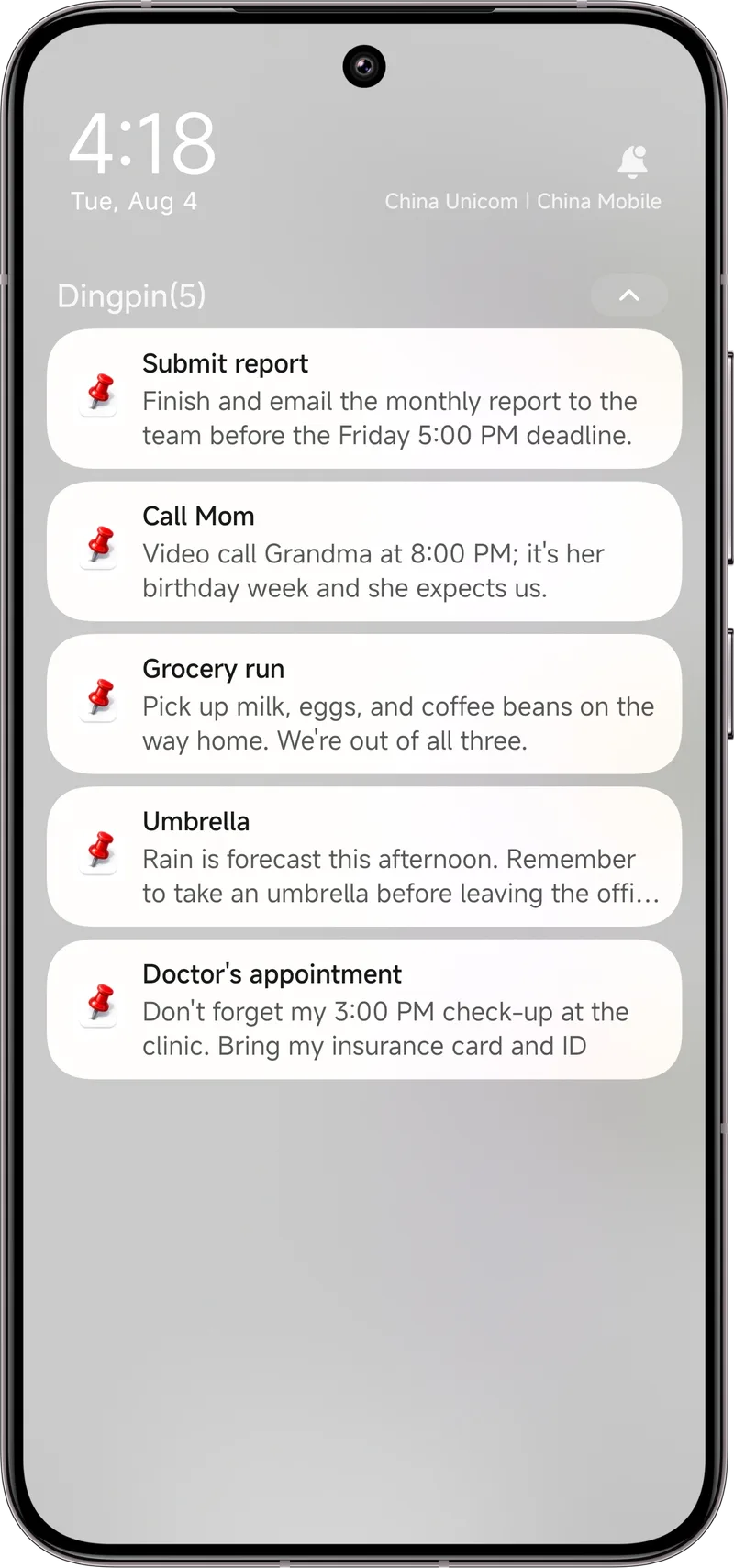
Want it done in one tap?
Dingpin pins and keeps your notifications safe — free, no account, Android 8+.
Download Dingpin