You meant to take it. The alarm went off, you swiped it away to "deal with later," and later became never. Medication adherence is one of the hardest, most consequential daily habits there is — and a normal phone alarm is surprisingly bad at it. The buzz lasts two seconds; real life is longer than two seconds.
Why alarms fail
- They're ephemeral. One buzz, then it's gone from the shade.
- Easy to dismiss on autopilot. The same thumb that sets the alarm clears it without thinking.
- No "did I take it?" record. Later you're left guessing.
Pin the reminder so it stays
With Dingpin, create a pinned note — "Metformin 500mg with lunch" — and keep it at the top of your shade until you've actually taken it. It doesn't disappear after two seconds; it waits there, calm and visible, through every other notification. When you've taken the dose, unpin it or mark it done.
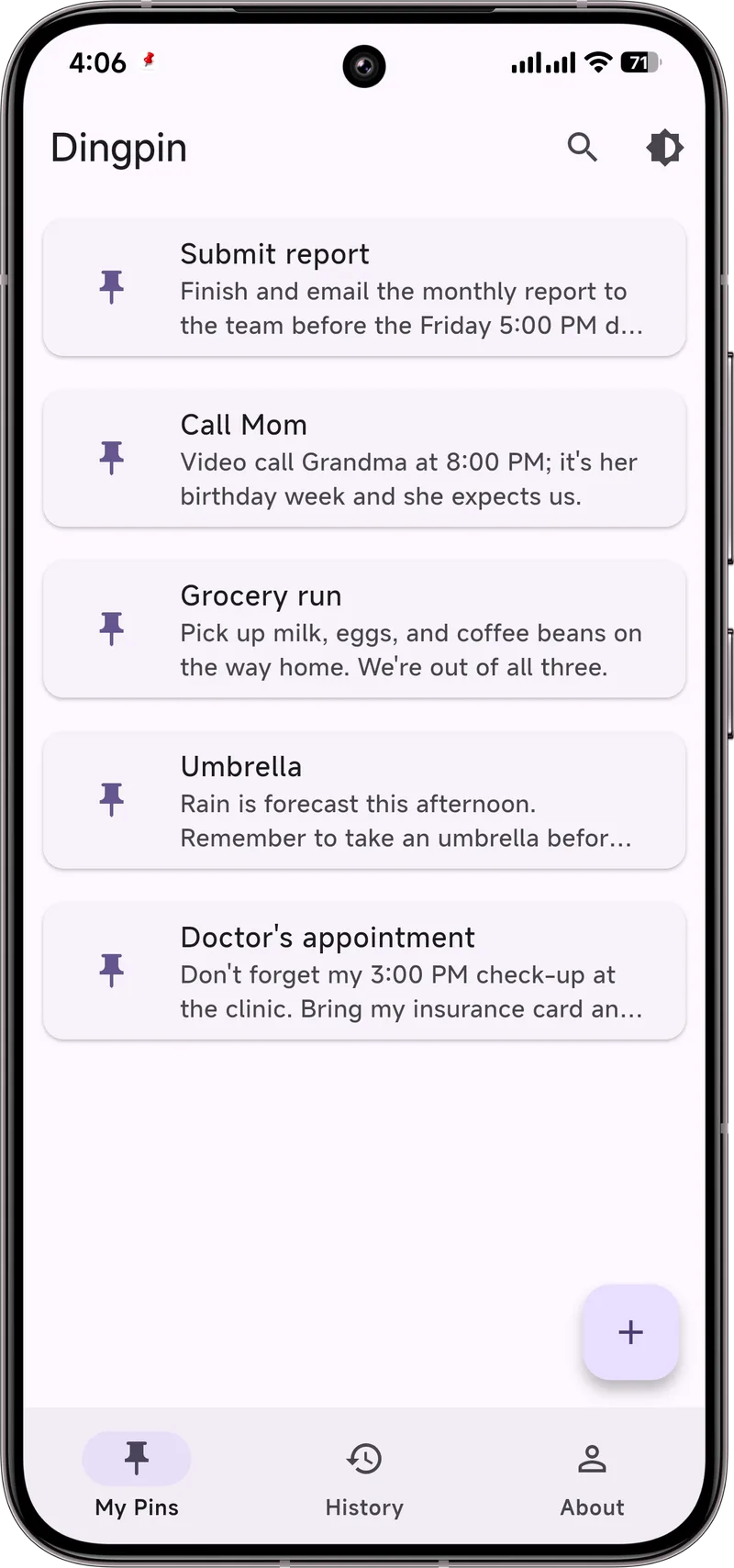
You can keep a tiny running list — morning / noon / evening — so the whole day's plan is one glance away instead of scattered across dismissed alarms.
Build a tiny routine
- Pair the dose with an existing habit — a meal, brushing teeth, the kettle boiling.
- Use the history if you need a log. If a doctor or nurse ever asks what you've taken, Dingpin's saved notes can help you recall, and our notification history guide explains how to keep a trail.
Important — this is support, not medical advice
Dingpin is a reminder tool, not a medical device. It doesn't dose, monitor, or replace your prescriber's plan, and it is not a substitute for professional care. For complex or high-stakes regimens — insulin, blood thinners, or anything where a missed dose is dangerous — use dedicated medication-management apps and stay in touch with your care team. Treat Dingpin as the friendly sticky note on the fridge, not the pharmacist.
Why medication reminders fail
Three reasons people miss medication reminders:
- The reminder is generic. "Take medication" is easy to ignore. Specific reminders ("Take 1 pink pill with water") are harder to dismiss mentally.
- The reminder is a one-off. A single ping gets buried under other notifications within minutes.
- There is no accountability. Skipping the reminder has no immediate consequence.
Building a reminder routine that sticks
Combine multiple techniques for the highest success rate:
- Use a pinned notification. When the reminder fires, Dingpin keeps it at the top of the shade until you mark it done.
- Pair with a physical anchor. Pill bottle on top of coffee mug. Phone next to water bottle. Whatever works.
- Repeat reminders. A single reminder at 8am is easy to miss; 8am, 8:15am, 8:30am is harder.
Best apps for medication reminders
Three apps that handle this well:
- Medisafe. Full-featured medication manager with refill tracking and family sharing.
- Round Health. Beautiful, simple, repeat reminders with snooze.
- Google Calendar. Surprisingly effective: create a recurring event, set notification as a High importance alert, pin it when it fires.
For caregivers
Caregivers managing someone else's medication can use shared reminders (some apps support this) or set up Dingpin to also notify the caregiver if the medication reminder goes unacknowledged for a set time. See dementia notification reminders for caregivers for a more comprehensive guide.
For related patterns, see school pickup reminders that stick and keeping important notifications from disappearing.
Official documentation
If you want to check anything against the source, these are the pages this guide is based on:
FAQ
Does Dingpin need internet or an account?
No. Pinned notes are created and stored on your device. There is no account and no cloud sync.
Can it set recurring daily alarms?
Dingpin pins notes you create; it is a great visible backup, but for truly automatic recurring dosing alerts, keep your phone's clock alarms or a dedicated med app as the primary trigger and use Dingpin's pin as the always-visible reminder.
Is my health information uploaded?
No. Everything stays on your phone. Dingpin is a notification tool, not a medical records service.