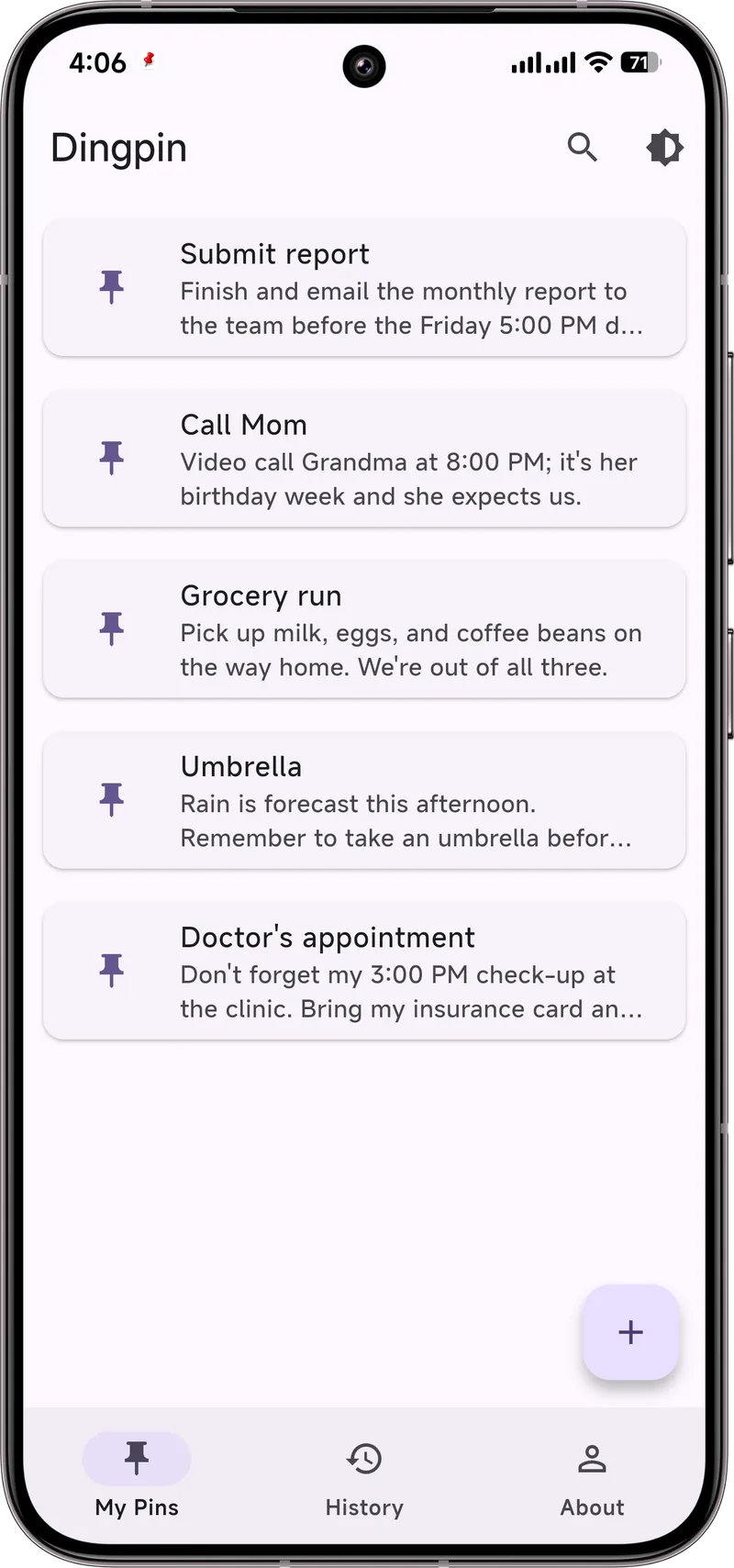
Why a pinned note outlasts an alarm
Alarms fail in a very specific way: they interrupt you at the wrong moment, and your hand swipes them away before your brain has registered what they said. Three hours later you remember that there was a reminder about something, but not what. The alert did its job for four seconds and then vanished into the same stream as promo codes and group chats.
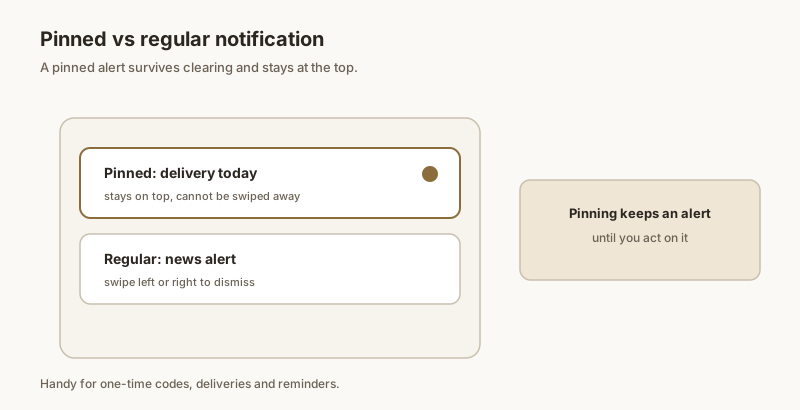
A pinned note works on a different principle. It doesn't interrupt — it waits. The reminder sits at the top of your notification list, or in Dingpin's pinned list, and stays there until you actually deal with it. Every time you unlock your phone for something else, you see it again. No memory required, no exact timing required, no willpower required beyond the moment you finally do the thing.
That difference matters most when the stakes aren't technical. A caregiver reminding a parent to take a pill, a parent who needs to leave at 3:30 to make pickup, someone managing a chronic condition with five small daily steps — in each case the problem is not "my phone can't remind me." The problem is that reminders are easy to dismiss and impossible to recall. Pinning closes that gap. It's also why pinning is not the same as snoozing: snooze delays an alert for ten minutes and then hands it back to the same stream that lost it; a pin holds it out of the stream until you're done.
Set it up in four steps
- Install Dingpin and grant notification access. It's a single permission, requested once, and it's what lets the app see and keep alerts. There's no account to create and nothing leaves your phone — the history and pins are stored locally. If you're ever unsure what that permission actually does, we break it down in what notification access permission means.
- Pin what arrives, or write it yourself. When a notification comes in, pin it from Dingpin so it moves into the pinned list at the top. You can also create a pin from scratch — useful for the things that never generate a notification, like "pick up prescription before 6pm."
- Write it as an action, not a topic. "Meds" is a category. "Take the 8pm dose" is something you can finish. Pins you can't complete in one motion tend to sit there for a week and train you to ignore the list.
- Unpin the moment it's done. The list is only useful while it's short. Clearing a finished pin takes one tap and is the step that keeps the next pin credible.
Once something is pinned, it stays reachable instead of scrolling away with everything else. If you want the reminder to survive even a crowded notification shade, pair it with a persistent notification — that's the pattern we use for the time-critical cases, like pickup windows.
What deserves a pin — and what doesn't
A pin is a scarce resource. You get maybe three to five before the list stops being glanceable, so the useful question isn't "can I pin this?" but "what does it cost me if I forget this?"
Rule of thumb: pin something if forgetting it costs you money, a relationship, or your health. Everything else can wait in your history — and you can always search it later with notification history search.
Making it stick as a habit
The people who get the most out of pinning tend to do two small things consistently. In the morning, they pin the one to three items that genuinely must happen today — not everything, just the ones with a cost. In the evening, they clear the list. An empty pinned list at bedtime is what makes tomorrow's pins worth reading.
If you're setting this up for someone else — a parent, a patient, a teenager — do it on their phone with them, and write the note the way they would read it. Shorter is better. "Take blue pill after breakfast" beats a paragraph. Put the phone where the pin will actually be seen, and if the note is for a stranger to read in an emergency, say the important thing in the first line. Small wording choices matter more here than any setting in the phone.