Living with a long-term condition — diabetes, hypertension, a heart issue, Crohn's, anything that needs steady attention — isn't about one big thing. It's about fifty small things, every single day. Take the reading. Log the dose. Drink the water. Move a little. None of them are hard on their own; the challenge is remembering when life is loud. A pinned check-in turns "I'll do it later" into "it's right here, at the top of my phone, until I've done it."
The hard part is the every day
Alarms help, but an alarm is a ping that vanishes. By 10 a.m. you've dismissed it and moved on, and the afternoon dose never gets a second thought. What a chronic routine needs isn't more alerts — it's one persistent prompt that stays put until the task is actually done.
Pin one daily check-in
With Dingpin, you pin a check-in so it rides at the top of your notification shade all day. Something specific and doable:
"Daily check-in: BP reading + morning meds. Clear this once both are done."
Because it's pinned, it doesn't get buried under messages and news. You see it each time you pick up the phone, and you clear it only when the step is complete — a small, honest tick on the day. You can keep a second pinned note for an evening step, or one for "refill due Friday."
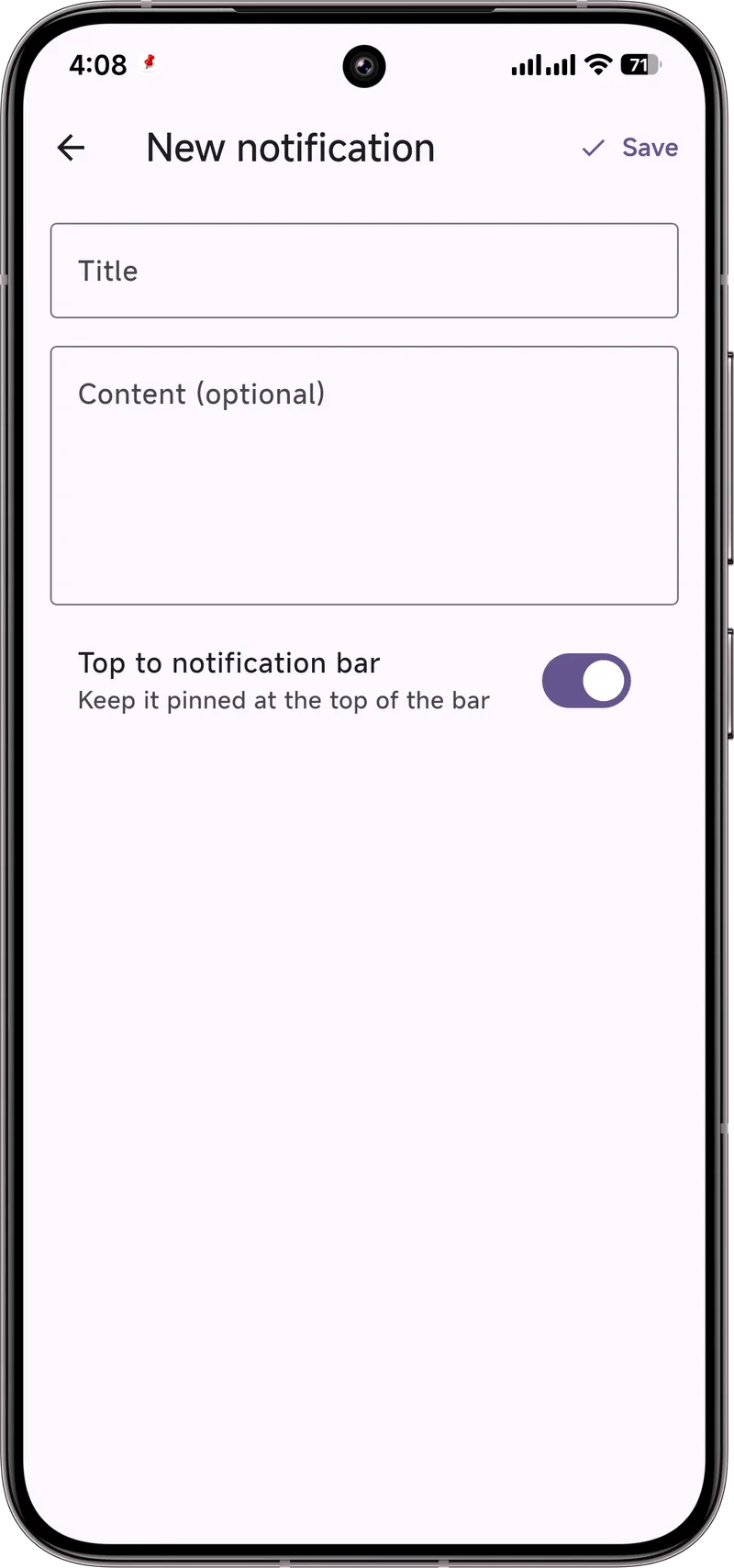
Build a tiny routine
A pinned note works best when it's tied to a moment you already have:
- Pair it with an existing habit. "After coffee: BP + meds." The familiar trigger does half the remembering.
- Keep the list short. One or two pinned notes beat a wall of them — a crowded shade gets ignored like everything else.
- Use plain words. "Evening walk 10 min" reads better at a glance than a clinical sentence.
Dingpin is a free, no-account helper that sits on top of your routine — a nudge to keep the small steps visible, not a medical record and not a substitute for your care plan.
For caregivers
If you support a parent or partner, the same trick helps you too. During a visit, pin their daily steps on a shared or family phone, then check in by call. Keep the wording plain and the list short so it's used rather than waved away. It won't replace hands-on care, but it keeps the day's basics from slipping on the noisy days.
The daily check-in challenge
People managing chronic conditions often have multiple daily check-ins: blood pressure, glucose, medication timing, mood tracking. Reminders for each can stack up quickly and become noise. The right system uses a few high-signal reminders rather than many low-signal ones.
Anchor to one routine time
Pair all check-ins with one anchor moment in the day:
- Morning routine. Brush teeth, weigh, log glucose — one consolidated reminder.
- Evening routine. Take evening meds, log mood, set up for morning — one consolidated reminder.
One well-anchored reminder beats five scattered ones.
Pick one app, not five
Specialized apps (glucose trackers, mood journals, medication logs) each post their own reminders. The result: ten notifications per day, none of them prioritized. Consider one consolidated tool — Google Calendar with repeating events, or a single journaling app that supports multiple metrics.
Use Dingpin to anchor the routine
When the reminder fires, Dingpin keeps it at the top of the shade. Pin the consolidated reminder until you have done all the check-ins; unpin only when the routine is complete. The pinned status is the visible cue that you have not yet done today's check-in.
For caregivers
If you help someone else with their check-ins, set the reminders on their phone with Dingpin pinned, then use location sharing or quick call reminders if a check-in is missed. See dementia notification reminders for caregiver-specific patterns.
Privacy considerations
Health data is sensitive. When choosing an app, prefer ones that store data on-device only. Dingpin is open source and on-device by default; for app recommendations that handle health data, look for clear privacy policies and ideally open-source code.
For related guides, see medication reminders that stick and setting up a parent's phone.
Official documentation
If you want to check anything against the source, these are the pages this guide is based on:
FAQ
Is Dingpin a medical app or health record?
No. Dingpin is a notification and reminder tool, not a medical device or health record. It won't track vitals or store clinical data, and it doesn't replace your doctor's advice or your care plan. Use it as a gentle nudge; keep medical decisions with your provider.
Can a caregiver manage these for someone else?
Yes. You can set the daily pinned notes on a shared or family phone during a visit, then check in by call. Just keep the wording plain and the list short so it isn't ignored.
Is my info private?
Yes. Dingpin runs on the device, needs no account, and nothing is uploaded to a cloud. What you pin stays on your phone.