You're the family IT support now. Mom misses the doctor's call; Dad forgets the appointment you reminded him about twice. You can't be on speed-dial 24/7, but you can make their phone work for them instead of against them. Here's a practical setup that takes about fifteen minutes and needs no tech degree.
Start with the basics
- Bigger text and display size (Settings → Display → Font size / Display size). Small gray text is the enemy of "I didn't see it."
- Raise media and ring volume, and turn on "also vibrate for calls" so a silent room doesn't mean a missed call.
- Simplify the home screen. Keep Phone, Messages, Camera, and one health app; move the rest into a folder.
Make sure they actually hear you
- Do Not Disturb with exceptions. Turn on DND but allow calls and messages from favorite contacts — see our DND and Focus Mode guide.
- Make your contact a star/favorite so it always comes through, even in DND.
- Check battery optimization. Some phones quietly kill the Phone app to save power. Our delayed-or-missing guide shows how to whitelist it.
Pin what matters where they'll see it
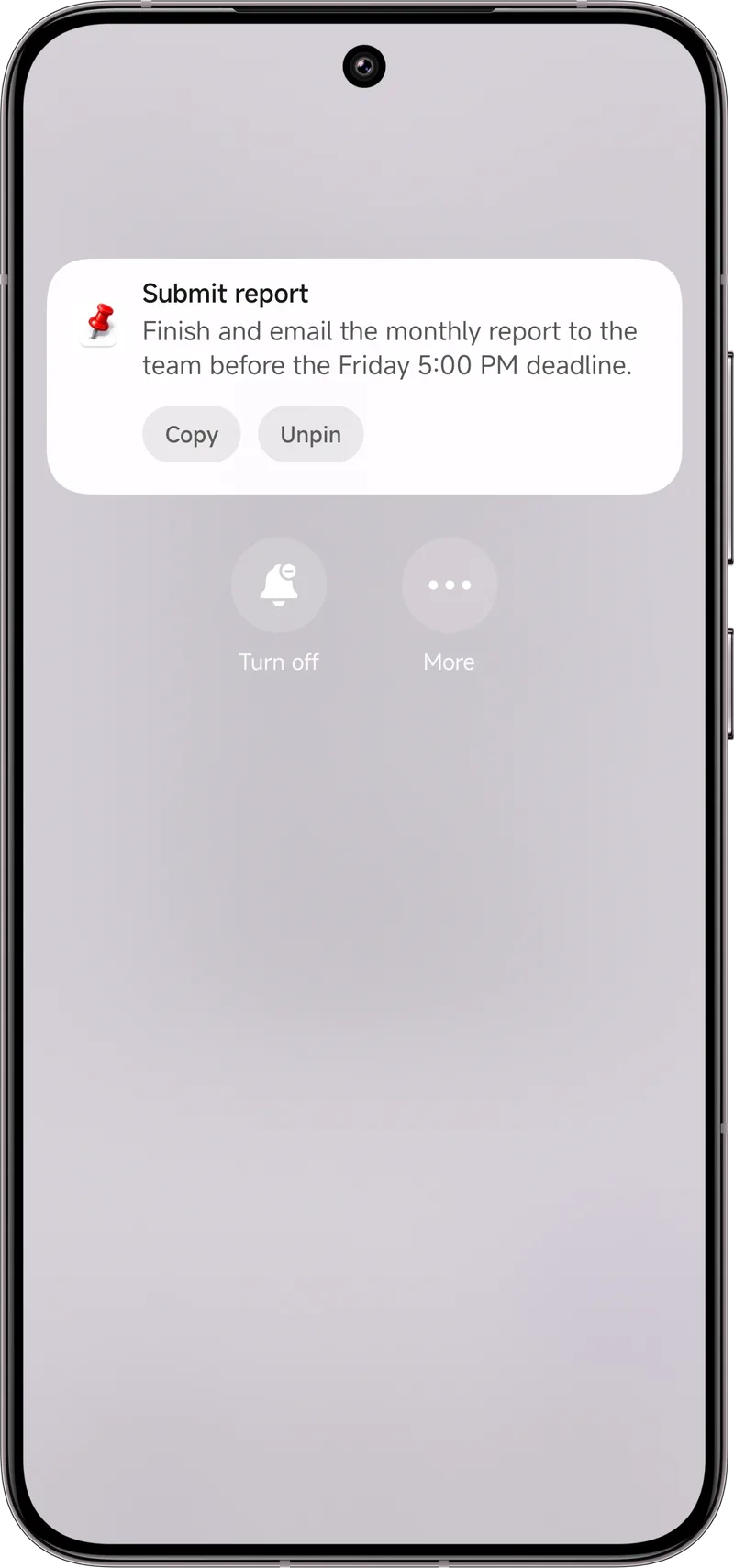
Here's the trick that ties it together: pin the day's must-dos to the top of the notification shade. "Call John 5pm," "Dr. Lee Fri 2pm," "Take blood pressure pill." With Dingpin, those stay visible all day instead of scrolling away under a weather alert. You can pre-load them during a visit, or walk them through it on a call.
Keep it low-maintenance
- Disable non-essential notifications from shopping, news, and game apps so the important ones aren't buried — our per-app mute guide walks through it.
- Fewer install prompts. Turn off "auto-update notifications" if they cause confusion.
Dingpin is a free, no-account helper that sits on top of all this — a layer that keeps the day's key items in view, not a replacement for care or for the occasional real check-in.
The setup challenge
Setting up a parent's phone so they miss less is a balance between simplification and capability. Too many settings, and they get confused; too few, and important alerts slip past. The right approach is to make the important things obvious and suppress the noise.
The settings that matter most
Five changes make the biggest difference:
- Increase text size. Settings → Display → Font size → large. Easier to read notifications and reply quickly.
- Boost important-channel importance. For the chat apps and calls they use, set importance to Urgent.
- Pin key contacts. Star the people they need to hear from (family, doctor, close friends).
- Allow repeat callers through DND. If DND gets accidentally enabled, repeated important calls still ring.
- Disable notification channels they do not need. Marketing emails, promotional notifications, game pings — turn them off at the channel level.
Physical habit anchors
Pair settings with physical anchors:
- Charging dock in one spot. Always plug in at the same place.
- Loud, distinctive ringtone for important calls. Pick a ringtone that is different from default sounds they hear elsewhere.
- Phone next to bed at night. So alarms and emergency calls cannot be missed.
Use Dingpin for critical reminders
For parents who have trouble remembering to take medication, attend appointments, or reply to messages, Dingpin keeps those reminders pinned at the top of the shade until they act. Pair with the medication reminder patterns in medication reminders that stick.
Emergency features to enable
For older parents specifically:
- Emergency SOS. Settings → Safety & emergency → Emergency SOS. Five quick presses of the power button calls emergency services.
- Medical info. Same screen → Medical information. Visible from the lock screen for first responders.
- Location sharing. Google Maps → Location sharing → share with family member.
For related guides, see notification reminders for caregivers and reminders that stick.
Official documentation
If you want to check anything against the source, these are the pages this guide is based on:
FAQ
Will all this confuse my parents?
Keep it minimal: a few pinned reminders, your contact as a favorite, and fewer app notifications. Small, quiet changes beat a phone full of new settings they'll never touch.
Do I need to redo this often?
Refresh the pinned reminders weekly or after visits. The core settings (text size, DND exceptions, favorite contacts) usually stay put for a long time.
Is Dingpin private?
Yes. It runs on the device, needs no account, and nothing is uploaded. It's a layer on top of the phone, not a replacement for checking in.