Caring for a parent or partner with dementia or Alzheimer's quietly rewires your whole day. One of the most draining parts isn't the big things — it's the small, repeating ones. You set an alarm for the blood-pressure pill, the 2 p.m. appointment, the call to the grandkids. And then it vanishes into the notification shade within minutes, buried under a weather alert, a spam text, and three app updates. For someone with short-term memory loss, "out of sight" really is "never happened."
Why reminders fail for people with dementia
A normal phone reminder is built for a brain that can hold a thought long enough to act on it. Dementia changes that baseline:
- Working memory is impaired. A notification that scrolls away is, functionally, a reminder that was never received.
- Alarms get swiped on autopilot. The same hand that sets the alarm often dismisses it without a second thought.
- Noise drowns the signal. Twenty low-value pings make the one that matters invisible.
So the problem usually isn't that the reminder wasn't set. It's that it didn't stay.
The trick: pin the reminder to the top
Instead of hoping a notification survives the scroll, you can pin it. Dingpin is a free Android app that lets you create a note and pin it so it lives at the top of the notification shade until someone deliberately clears it. For a person with dementia, a single pinned "Take your blood pressure pill after lunch" that stays visible all afternoon beats ten alarms that had already vanished by 9 a.m.
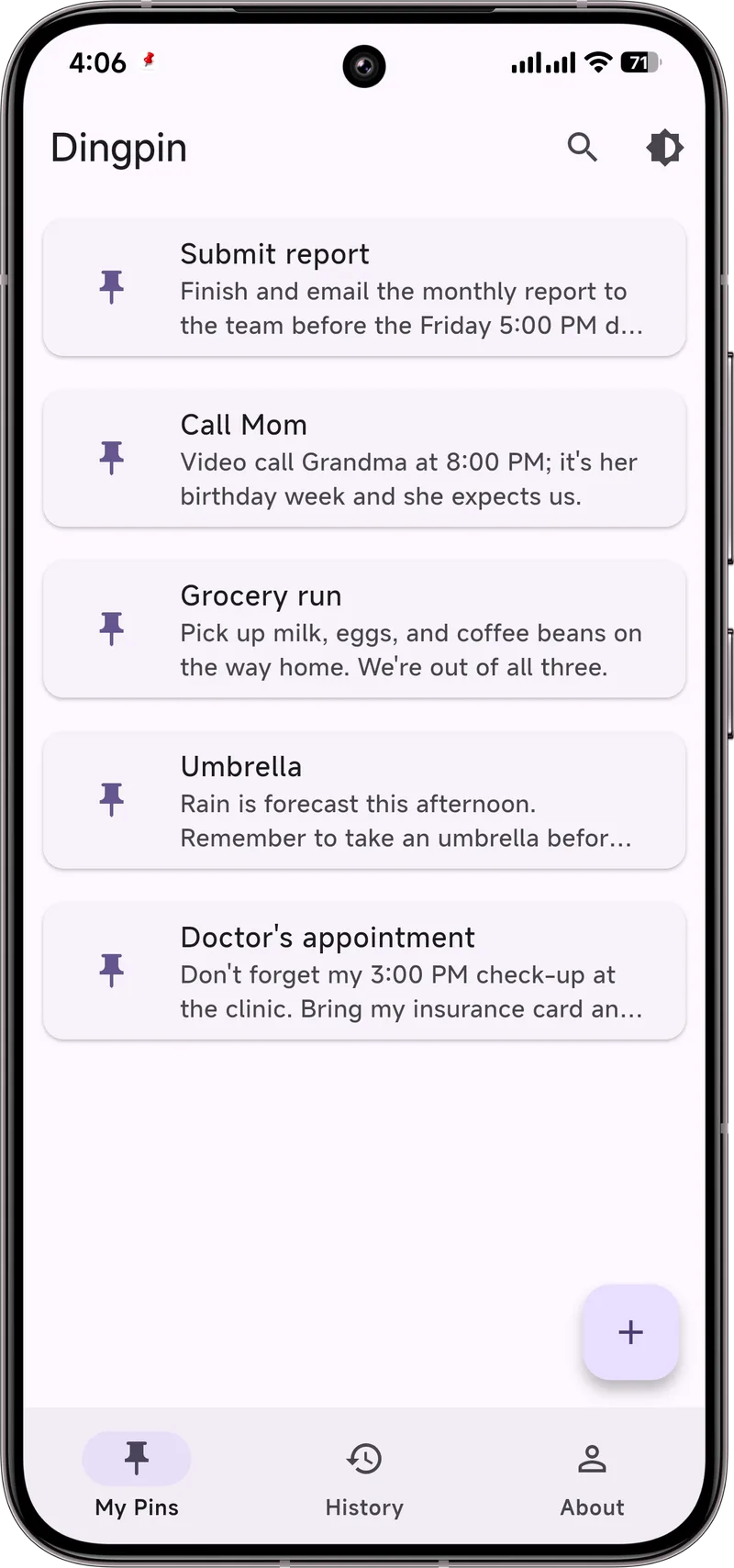
As a caregiver, you can pre-load the day's pins during a visit: meds, hydration, the 4 p.m. call to a daughter. Keep them few and plain. The goal is a calm, steady cue — not a second job for the person you're helping.
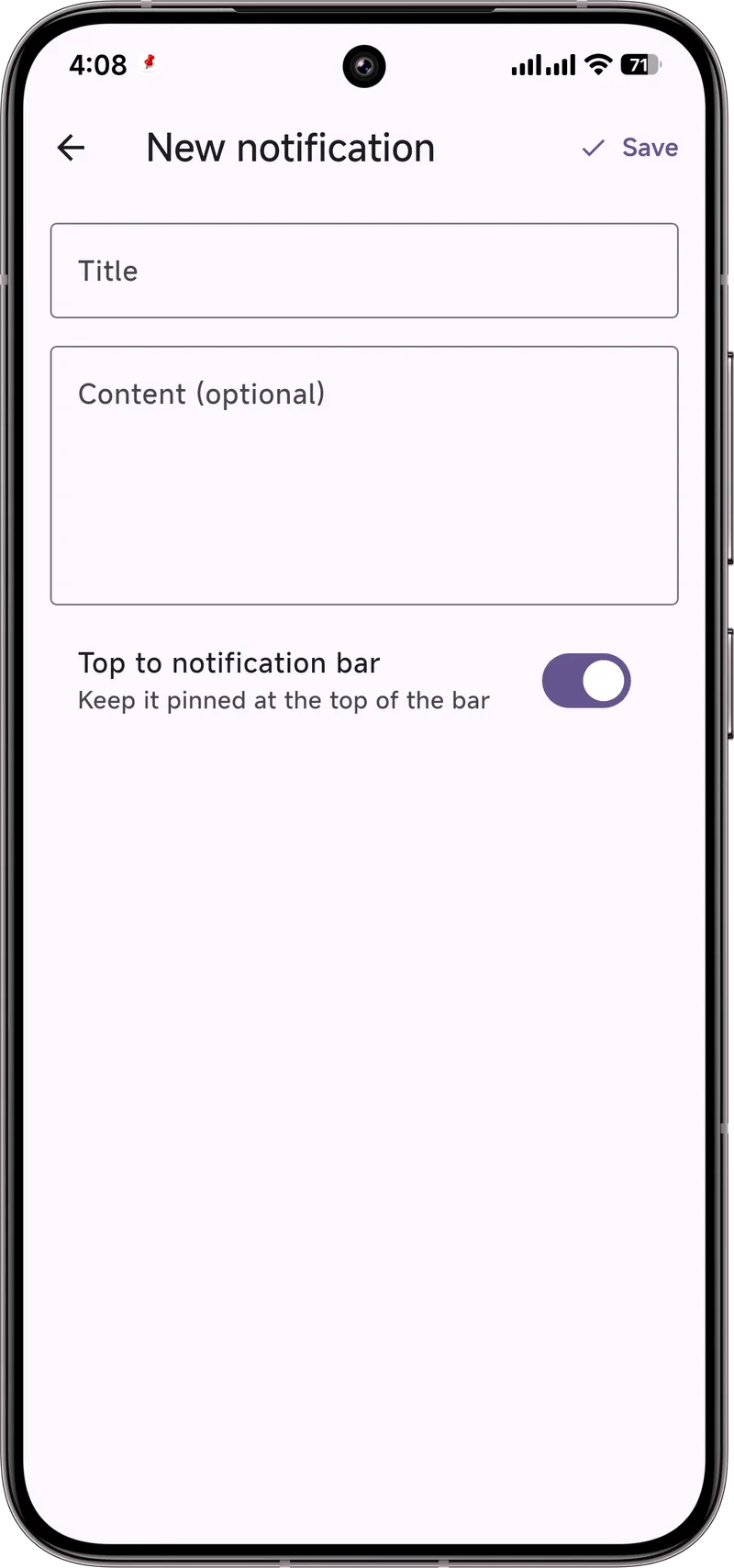
Keep it simple on purpose
- One or two pins, not twenty. A screen full of notes is just more noise.
- Big, plain words. "Call Mom" beats "Wednesday 4pm recurring family check-in."
- Pair it with a routine, don't replace one. The pin is a helper that sits on top of the care plan, not a substitute for it.
What Dingpin is — and isn't
Dingpin is a notification organizer that runs on the phone. It's free, needs no account, and keeps a reminder where the person can see it. It does not diagnose, treat, or monitor any health condition, and it is not a medical device. Think of it as a sticky note that refuses to fall off the fridge — useful, but not clinical. Use it alongside the care plan from the person's doctor, and talk to their care team before changing anything about medications or routines.
The caregiver challenge
Caring for someone with dementia introduces unique notification needs:
- The person may forget to take medication, attend appointments, or eat meals.
- Traditional reminder apps require the person to acknowledge, which they may not remember to do.
- Caregivers need to know if a reminder was acknowledged or ignored.
- False positives (a reminder was acknowledged but the person forgot) are common.
Dingpin as a visible anchor
The strongest pattern: use Dingpin to keep reminders pinned at the top of the phone's shade. The pinned status is a visible cue that something needs attention. For someone with dementia, the persistent visual reminder often works better than a sound that fades.
Repeating reminders
For critical items (medication, meals), set repeating reminders every 15–30 minutes until acknowledged. The repetition is annoying for a normal user but necessary for dementia care — what looks like over-reminding is actually appropriate.
For the caregiver's phone
The caregiver's phone should also use Dingpin to keep key alerts visible:
- Medication reminder acknowledged.
- Appointment time approaching.
- Heart rate or fall alerts from a wearable.
Shared calendar for appointments
Set up a shared Google Calendar between the person with dementia and their caregiver. Both phones show the same events; both can pin them for visibility. Family members can also be added to the calendar for collective awareness.
When reminders are ignored
Build an escalation path:
- Reminder fires on the person's phone (pinned).
- Reminder fires on the caregiver's phone (pinned).
- If no acknowledgment after 15 minutes, the caregiver calls.
- If no answer, check location (Find My Device or Google Maps location sharing).
Professional support
For ongoing dementia care, consider working with the person's medical team on a notification plan. Many care facilities have specific recommendations. Apps and reminders are tools, not substitutes for professional care. See also: setting up a parent's phone and medication reminders that stick.
Official documentation
If you want to check anything against the source, these are the pages this guide is based on:
FAQ
Is pinning notifications a replacement for medical care?
No. Dingpin is a phone notification tool, not a medical device. It can help a reminder stay visible, but it does not diagnose, treat, or monitor any condition. Always follow the care plan from the person's doctor or care team.
Does Dingpin need internet or an account?
No. Reminders are created and stored on the device. There is no account and no cloud sync.
Will this confuse someone with dementia?
Keep it simple: one or two short pins at a time, written in plain language. A pinned note works best as a gentle visual cue, not as a long to-do list.