Everyone feels scattered lately. We blame our phones, our willpower, the algorithm. There's truth in all three — but part of the problem is mechanical, and fixable. Every app is fighting for your attention, and the things that actually matter to you (one key task, a message from someone you love, a quiet intention for the day) get buried under a flood of low-value pings.
The short-video effect is real
Short-form video trains the brain to expect a constant stream of novelty. Pair that with notification spam — a sale, a like, a "we miss you" nudge — and deep focus gets hard to find. You're not weak-willed; you're being pulled in a dozen directions before you've finished your coffee. The first step isn't more discipline. It's changing what reaches you.
Why pinning helps focus
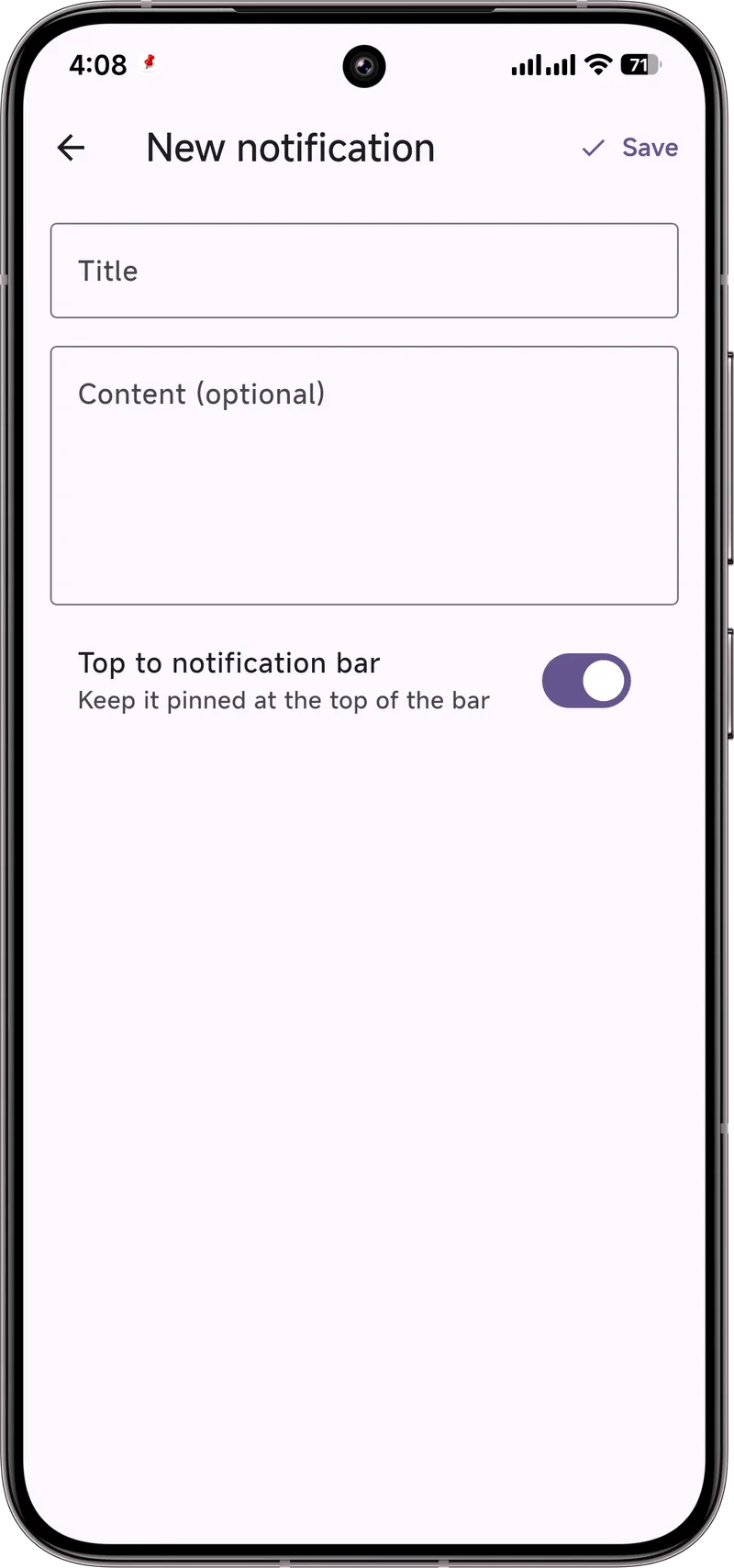
Instead of reacting to every ping, decide in advance what deserves your top spot. Pin a single intention — "Write the report," "Call Mom," "Read for 20 minutes" — to the top of your notification shade. It acts as a calm anchor, not a shout. When everything else is muted, that one pinned note is the only thing asking for your attention.
Then cut the noise. Our guides on muting specific apps and Do Not Disturb and Focus Mode show how to silence the rest while keeping the people who matter able to reach you.
A 5-minute reset
- Mute three noisy apps you never need to hear from instantly (shopping, games, "trending" feeds).
- Turn on Do Not Disturb with exceptions for your favorite contacts, so only the important people get through.
- Pin one task for the next block of time using Dingpin.
That's it. No detox retreat required.
It's not about deleting your phone
You don't need to throw the thing in a drawer. Small structural changes — fewer pings, one pinned priority — add up to a noticeably quieter day. Dingpin is just the tool that makes the "one thing that matters" easy to keep in view.
What the research says
Studies over the last decade consistently show that frequent phone notifications fragment attention. The mechanism is well understood: every notification triggers a small "what is that" cognitive interruption, even if you do not look at the phone. Frequent interruptions accumulate into measurable productivity loss and increased stress.
The first practical step
Reduce the number of notifications you get in the first place:
- Audit your apps. Open Settings → Notifications → App notifications. Toggle off every app that does not need to interrupt you.
- Disable marketing channels. Most apps have notification channels for marketing; mute those.
- Use DND or Focus Mode during work. Set a schedule for quiet hours.
The survivors
After the audit, the apps that remain should genuinely need to interrupt you:
- Calls. From people you starred.
- Direct messages. From important contacts.
- Calendar. Meetings and appointments.
- Two-factor codes. When you are actively trying to log in somewhere.
Handling them well
Once the count is reasonable, you can handle the remaining notifications without losing focus:
- Batch process. Check the shade 3–4 times a day, not constantly.
- Pin what matters. Dingpin keeps the most important alert visible so you cannot forget.
- Archive aggressively. Anything that is not actionable — archive, mute, dismiss.
The bigger picture
The goal is not zero notifications — some interruptions are useful. The goal is to make every notification that arrives genuinely deserve your attention. If most of yours do not, you have too many apps trying to talk to you. See also: Do Not Disturb and Focus Mode, why we forget where the phone is, and how to silence notifications on Android.
Official documentation
If you want to check anything against the source, these are the pages this guide is based on:
FAQ
Does muting notifications make me miss important things?
It does the opposite if you do it on purpose. Mute the low-value noise, then pin the few things that truly matter so they stay visible. You trade a flood for a short, deliberate list.
Will this cure my focus problems?
No single app fixes attention. But reducing reactive pings and keeping one clear priority at the top of your screen removes a big source of daily interruption — which most people feel immediately.
Does Dingpin need an account?
No. It's free, works on Android 8+, and keeps everything on your device.