You're holding the phone. Someone asks where the phone is. You pat your pockets in mild panic before realizing it's in your hand. We've all been there. It's funny — until it's the keys, the wallet, or the reason you walked into the kitchen and now can't remember.
The brain is buffered, not recorded
Attention is a limited resource. When we act on autopilot — or mid-scroll, half a dozen tabs deep in our heads — the action doesn't always "stick." It sits in a short buffer that gets overwritten by the next thing. Short videos and constant app-switching make that buffer overflow more often, which is a polite way of saying: we're more distractible than we used to be, and the small stuff slips through the cracks.
Small external memory helps
People have always offloaded memory to the environment. A knot in a shoelace so you remember to call the bank. A note on the door so you don't forget the umbrella. Your phone can do this too — except better, because it's the object you're already holding.
Pin a note: "Library books due Saturday," "Parked level 3 B," "Milk + bread." With Dingpin, that note stays at the top of your notification shade instead of sinking under a flood of pings. It's the modern version of the string around your finger.
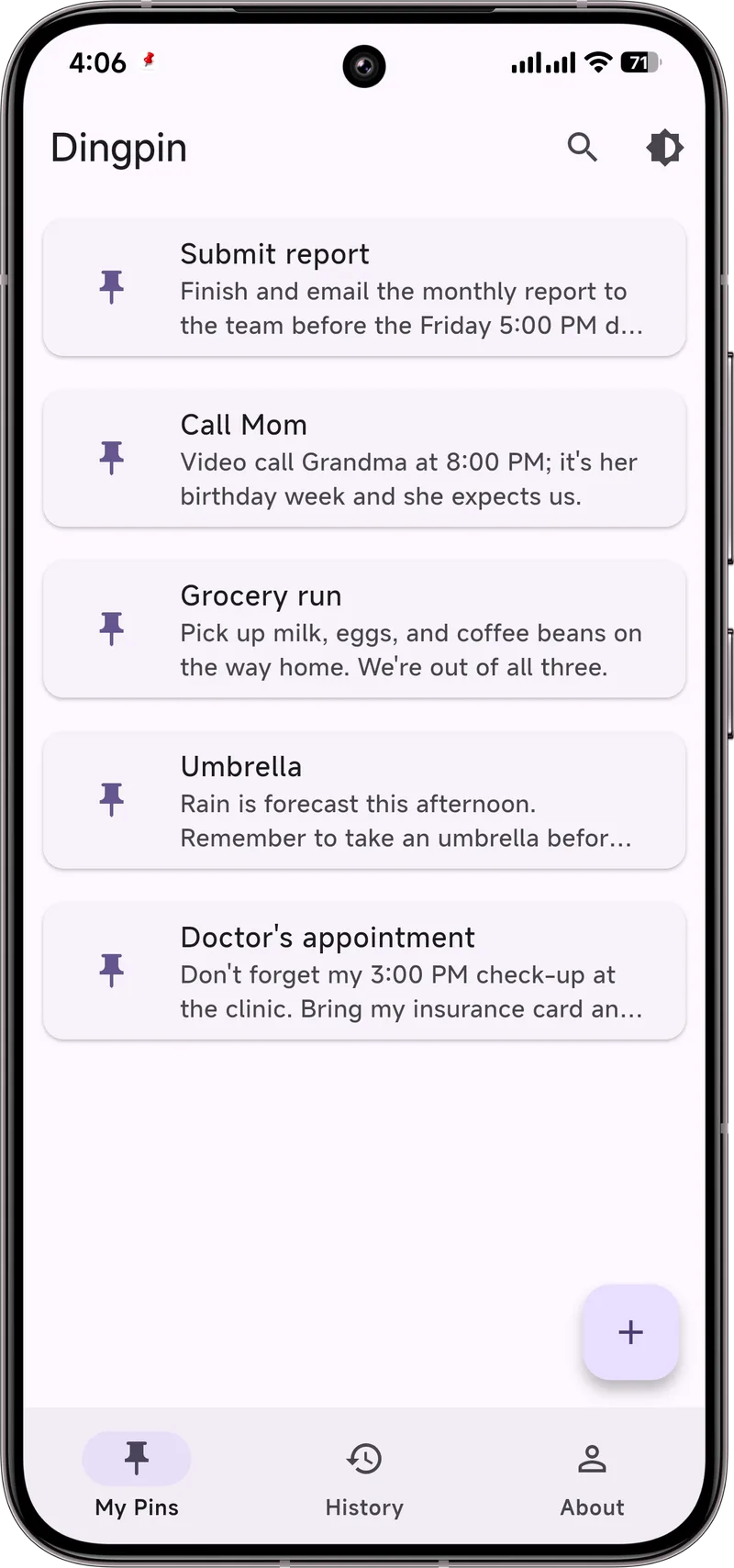
Not a cure, just a crutch
Dingpin won't fix absentmindedness — nobody's selling that. What it does is give the small stuff a place to live so your brain doesn't have to carry all of it. Offload the trivial, and the important things get a little more room. For the bigger organizational picture, our real-life uses hub gathers the rest of these everyday scenarios in one place.
The cognitive bias at play
There is a documented cognitive bias called the "forgetting curve" (Hermann Ebbinghaus, 1885) that explains why we forget phone locations. Memory of an action ("I put the phone on the dresser") decays exponentially within minutes unless the action is reinforced. By the time you need the phone, the trace memory is gone.
Physical anchor triggers
The most reliable fix is to attach the placement to a strong physical cue:
- Same spot, every time. A bowl, a hook, a charging dock. Force yourself to use it for a month and the habit replaces the memory.
- Tactile cue. A small dish with a different texture (cold metal, rough ceramic) makes your hand remember without conscious thought.
- Visual cue. A bright color at the placement spot draws your eye automatically.
Phone features that help locate
Modern Android phones include several built-in tools:
- Find My Device. Ring the phone at full volume even if it is on silent. Works for any signed-in Android phone.
- Smart home integration. Smart speakers (Google Home, Alexa) can ping the phone by voice command.
- Bluetooth tracker. A Tile or AirTag attached to the phone gives you a last-known location.
Use notifications to anchor placement
A clever trick: pair your phone with Dingpin. Each time you set the phone down, pin a notification that says where you put it. The pinned alert sits at the top of the shade — visible whenever you next pick up the phone, even if that is hours later. The visible reminder bypasses the forgetting curve entirely.
For related practical tips, see set up a parent's phone so they miss less and medication reminders that actually stick.
Official documentation
If you want to check anything against the source, these are the pages this guide is based on:
FAQ
Does pinning a note actually help with forgetfulness?
A little. Offloading small things — a reminder, a parking spot, a short to-do — to a pinned notification frees up mental space so the important stuff has room. It's a crutch, not a cure, but crutches help.
Does Dingpin need internet or an account?
No. Reminders are created and stored on the device. There is no account and no cloud sync.
Is Dingpin a memory or a productivity app?
Neither, really. It's a lightweight tool for pinning the small things you'd otherwise lose — not a full task manager or a memory trainer. Pin what matters, mute the rest.