What a heads-up notification is
A heads-up notification is the floating banner that slides in at the top of your screen and sits above whatever you are doing — reading, watching, or playing a game. It is Android's way of saying “look now.” Incoming calls, alarms, timers, and turn-by-turn navigation all use it, along with any app set to the highest alert level.
What makes one appear
Heads-up banners show for notifications marked urgent or “make sound and pop on screen”. That level is controlled per app through notification channels (Android 8 and later). A routine email at “silent” importance will never pop; a ringing alarm or a repeat caller will. Some apps also request the banner directly for time-sensitive events.
Heads-up vs the notification shade
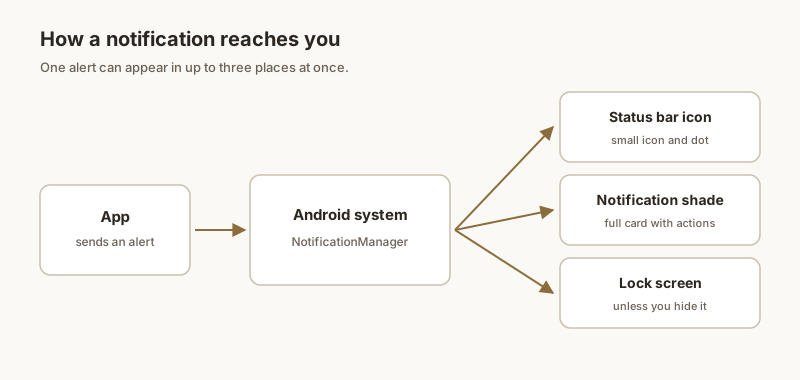
The heads-up banner is transient: it appears for a few seconds, then drops into the notification shade where it lives until you clear it. The shade entry is where you read and act later; the heads-up is only the momentary alert. If a banner vanishes before you read it, the information is usually still waiting in the shade — unless the app cancelled it.
How to stop heads-up pop-ups
To quiet a chatty app, open Settings → Notifications → [app] and lower its importance, or set the channel to Silent / Minimize. Do Not Disturb also suppresses heads-up banners except for your allowed exceptions. You can keep the app's information in the shade while stopping the interruptions.
When you need it to stay
A heads-up banner is built for the moment, not for things you must not lose. If an address, a code, or a reminder has to stay visible for minutes or hours, Dingpin pins it to the top of the shade so it is always there when you look.
What "heads-up" means
A heads-up notification is a banner that slides in from the top of the screen and floats over whatever app you are using. It is the same kind of alert called "floating notification" or "pop-up" elsewhere — the terms are interchangeable. Heads-up banners show for a few seconds, then either auto-dismiss or stay until you act.
How a banner becomes heads-up
An app triggers a heads-up banner by posting a notification with high importance. If importance is set to Low, the notification only appears silently in the shade. If High or Urgent, it pops up. The decision is per channel, not per app — a chat app may post silent direct messages but heads-up @mentions.
What appears in the banner
A heads-up banner shows the same content as a regular notification card: app icon, app name, sender (for messages), and the message preview. Actions (Reply, Mark as read) are sometimes available directly on the banner.
Why some banners stay and some disappear
The behavior depends on the notification's importance and the user's interaction:
- High importance. Banner shows briefly, then settles into the shade.
- Urgent. Banner stays until you swipe or tap.
- Ongoing / foreground service. Usually silent; no banner.
- With ongoing actions. If the notification has interactive buttons, it stays until you choose one.
How to turn heads-up off
Three ways:
- Globally. Settings → Notifications → Pop on screen → off (Stock Android). On Samsung: Brief pop-up settings. On Xiaomi: Floating notifications.
- Per app. Settings → Notifications → App notifications → [app] → importance → Low.
- Per channel. Same as per app, but drill into the specific channel.
For more, see what is a floating notification, how to turn off floating notifications, and floating notifications on Samsung.