A smartwatch is only useful if it shows the alerts you care about and stays quiet about the rest. Too many people get either a wrist that buzzes for every spam email, or one that mysteriously goes silent for the messages that matter. Here's how to take control of notifications on Wear OS and Galaxy Watch.
How watch notifications sync
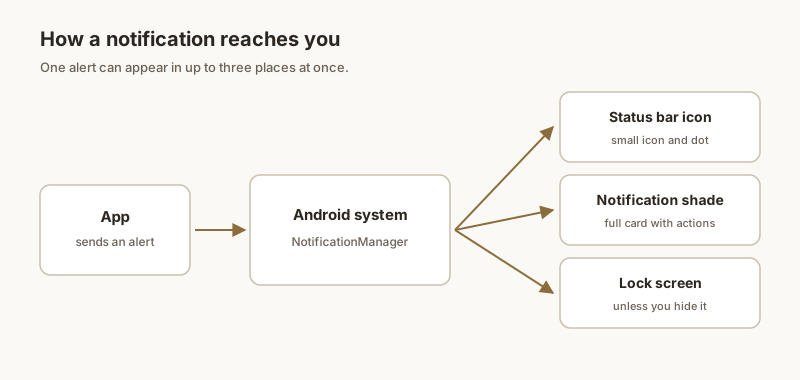
Your watch doesn't run its own copy of every app. It mirrors notifications from the paired phone over Bluetooth. When an app alerts on your phone and that app is allowed to bridge, the watch shows a copy. Turn the app off for bridging and the watch stays quiet while the phone still alerts.
Choose which apps notify the watch
Wear OS: open the Watch app on your phone → Notifications → App notifications (some versions call it "Notifications from apps"), then toggle each app.
Galaxy Watch: open Galaxy Wearable → Notifications → App notifications, and pick the apps you want on the wrist.
Tip: keep messaging, calls, calendar, and a couple of must-see apps on; send shopping, social, and news apps to the phone only.
Mute the watch, keep the phone
- To silence the wrist entirely but keep the phone alerting: in the companion app, turn off Sync notifications or Show notifications globally.
- To keep the watch silent at night: enable Bedtime or Theater mode — your phone is unaffected.
- You can also mute just the watch's sound/vibration under the watch's Sounds & vibration settings while leaving the screen alerts on.
Bridged vs native alerts
Most watch alerts are bridged copies of phone notifications and inherit the phone's settings. Some apps (like WhatsApp or Gmail) also offer native watch apps that can behave differently. If an app behaves oddly on the watch, check both the companion app's bridge toggle and the watch app's own settings.
Fix delayed or missing alerts
- Bluetooth: keep the watch in range and the connection active; a weak link is the #1 cause of delays.
- Battery optimization: don't let the companion app (Watch / Galaxy Wearable) be battery-restricted, or it gets paused in the background.
- Modes: Theater, Bedtime, or a watch Do Not Disturb will suppress alerts — check the quick settings tile.
- Re-pair: if sync is broken, toggling Bluetooth off/on or re-pairing the watch usually resolves stale connections.
For the few alerts you truly can't miss, Dingpin on the phone pins them in one place so they don't get buried — a nice complement to your wrist, since the watch can't pin or archive anything.
How watch notifications work
When your phone receives a notification and you are wearing a Galaxy Watch, the watch mirrors it. You can read, dismiss, or act on the alert from your wrist. The watch can also show notifications independently for watch-native apps.
Mirror settings on the phone
- Open Galaxy Wearable on your phone.
- Tap Watch settings → Notifications.
- Toggle on the apps you want mirrored to the watch.
By default, most notification-worthy apps are mirrored; you can trim the list to keep the watch calm.
Watch-side controls
On the watch:
- Swipe down to see notifications.
- Tap to open full alert.
- Swipe right to dismiss.
- Use reply actions when the app supports them.
Quick replies from the watch
Galaxy Watch supports canned quick replies for messaging apps. You can customize the canned replies in Galaxy Wearable → Watch settings → Notifications → [app] → Quick replies. Most users keep a handful of generic ones ("On my way," "Will reply later," "Sounds good").
Battery impact on the watch
Mirroring notifications to the watch uses extra battery on both devices. If your watch struggles to last the day, reduce the number of mirrored apps to the ones that genuinely need immediate attention (calls, urgent messages).
Dingpin on the watch
Dingpin does not run on the watch directly, but pinned notifications on the phone mirror to the watch. So pinning a code or address on the phone makes it available on your wrist — useful when you need it quickly without taking out the phone.
For related guides, see making notifications more visible and how to pin notifications on Android.
Official documentation
If you want to check anything against the source, these are the pages this guide is based on:
FAQ
How do I choose which apps notify my watch?
On Wear OS, open the Watch app on your phone → Notifications → App notifications (or 'Notifications from apps'), then toggle each app on or off. On Galaxy Watch, use the Galaxy Wearable app → Notifications → App notifications. Both let you pick exactly which apps bridge to the wrist.
Why are notifications delayed on my watch?
Delays usually come from a weak or intermittent Bluetooth link, battery optimization pausing the companion app, or the watch's Theater/Bedtime mode. Make sure the companion app isn't battery-restricted and that the watch is within range and awake.
Can I mute notifications on my watch but keep them on my phone?
Yes. Turn off 'Show notifications' or 'Sync notifications' for the watch in the companion app, or disable individual apps there. Your phone keeps alerting normally; only the wrist stops mirroring.