Swiped away a one-time password, a delivery update, or a message on your Pixel, then wished you could get it back? Google's Pixel runs close-to-stock Android, which ships a built-in Notification History log that quietly records recent alerts — even the ones you dismissed. Here is how to switch it on and what it can (and cannot) recover.
What Pixel keeps (and why it helps)
Since Android 11, every Pixel has had a notification history feature built into the OS — no app required. When enabled, your phone saves a timestamped record of recent notifications — messages, app alerts, system updates — so you can scroll back through what you cleared. It is the fastest way to recover an alert you accidentally removed, and on Pixel it lives in the standard Android settings rather than a manufacturer skin like One UI or HyperOS.
Turn on Notification History (Pixel UI)
On Pixel phones (Pixel 4a and later, Android 11+):
- Open Settings.
- Tap Notifications.
- Tap Notification history.
- Toggle on Use notification history.
That is the whole path — Pixel does not bury it under "Advanced settings" the way some OEMs do. Once enabled, new alerts start accumulating immediately. It is worth turning on now even if you don't need it yet; the log only captures notifications that arrive after you enable it.
View cleared notifications
To read what you dismissed:
- From the shade: open the notification panel and tap History at the bottom. (If you don't see it, enable it via Settings → Notifications → Notification history → turn on "Show in notification shade".)
- From Settings: Settings → Notifications → Notification history.
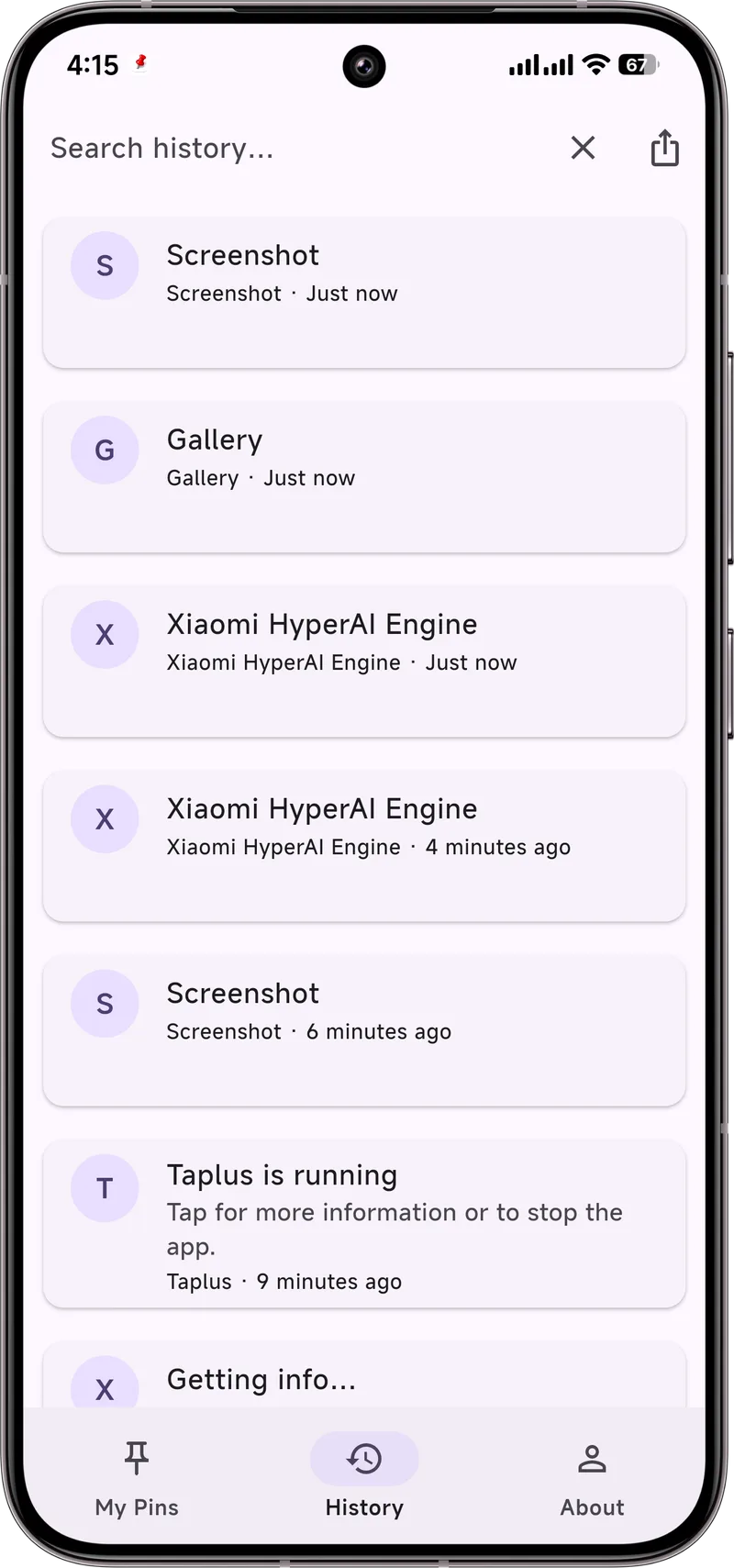
Entries appear in reverse chronological order, each showing the app name, a timestamp, and the banner preview that was on screen. Tap an entry to expand it. There is no built-in search, so for a long log you scan manually — a good reason to act quickly after a dismissal.
Limits you should know
- Only after enabling: nothing dismissed before you turned it on is saved.
- Roughly a 24-hour window: Android treats it as a rolling buffer, not a permanent archive.
- Preview only: you see the sender and an opening line, not the full conversation.
- Some alerts are excluded: ongoing (persistent) notifications and certain system alerts may not appear in the log.
Make it stick with Dingpin
The built-in log is handy but short-lived and read-only. Dingpin keeps a longer, searchable, and exportable history of your notifications, and lets you pin the ones that matter so they stay at the top of your Pixel's shade instead of scrolling away. It works the same across Pixel, Galaxy, Xiaomi, and other Android 8+ phones, with no account required.
Where the history lives on Pixel
Settings → Notifications → Notification history. Toggle on to start recording. The history shows every notification posted by every app, with timestamps and content.
Stock Android behavior
On Pixel, the history is the cleanest implementation of Android's notification history:
- Every notification posted by every app is recorded.
- Entries are retained for 24 hours.
- Sensitive content is hidden behind a tap-to-reveal.
- There is no search, no export, no filtering.
Why it is gated
The notification history is only accessible from inside Settings, behind authentication. It cannot be exposed to widgets, third-party apps, or the home screen for privacy reasons — it can contain OTPs, financial alerts, and personal messages.
How Pixel compares to other brands
Pixel gives you the stock Android experience, which means fewer customizations but cleaner behavior. Samsung and Xiaomi both expose the same underlying feature but sometimes add their own twists:
- Samsung. Notification Star via Good Lock complements the system history.
- Xiaomi. Sometimes hides the toggle entirely in certain regional ROMs.
When the system history is not enough
For longer retention and search, a third-party app is the answer. Dingpin is one option; other options exist too. Pick one that fits your needs.
For related guides, see recovering notification history, customizing Pixel notifications, and hiding lock screen notifications on Pixel.
Official documentation
If you want to check anything against the source, these are the pages this guide is based on:
FAQ
Does Pixel keep notification history forever?
No. Pixel's Notification History is a rolling buffer — it stores recent alerts for roughly 24 hours and only logs notifications that arrive after you enable it.
Can I recover a notification I cleared before enabling history?
No. The log starts empty the moment you turn it on; anything you dismissed or cleared beforehand is gone and cannot be retrieved on-device.
Does Pixel Notification History show the full message?
No. It keeps the banner preview that was on screen — usually the sender name and an opening line — not the full conversation or message body.