If Android's Notification History is blank, greyed out, or simply missing alerts you know arrived, here is how to fix it.
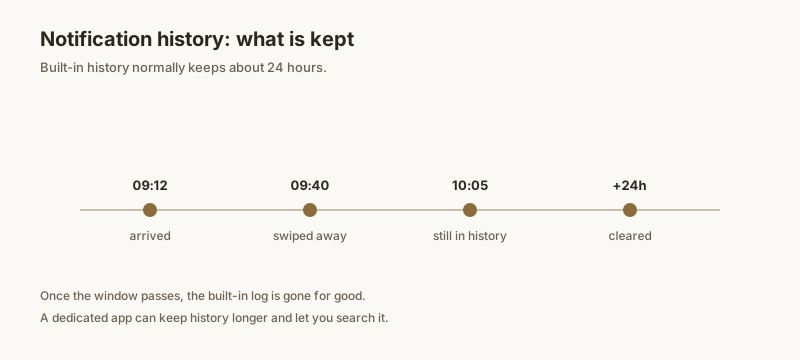
Common symptoms
- The history screen is empty even though you got notifications.
- The toggle is missing or cannot be enabled.
- Some apps' alerts never appear in the list.
Turn the toggle on
- Open Settings → Notifications → Notification history.
- Make sure the switch is on.
- Remember: it only records alerts that arrive after you enable it.
OEM limitations
Samsung, Xiaomi, and other makers sometimes move or restrict the feature:
- Samsung: Settings → Notifications → Advanced settings → Notification history.
- Xiaomi/HyperOS: Settings → Notifications → More settings → Notification history (hidden on some region ROMs).
If the option is absent, a third-party app is the workaround.
Battery optimization
Aggressive battery saving can stop the logger from recording in the background. Add the system "Android System" or your logger app to the battery unoptimized / unrestricted list if history keeps coming up short.
A reliable fix
The built-in history depends on a toggle you must remember to enable, and on your manufacturer playing nice. Dingpin captures notifications from the moment you install it, keeps them beyond the 24-hour cliff, and is not affected by the system toggle being off.
Why the toggle is missing entirely
On some phones the Notification history option is hidden, greyed out, or absent from Settings. Common reasons:
- Region-locked. Some OEM skins only expose the feature in certain countries. Xiaomi is the most commonly cited offender — the toggle may be present but disabled in some HyperOS builds.
- Phone managed by an employer. Managed devices often strip the history feature for privacy.
- Carrier-branded software. Some carrier ROMs remove the toggle to keep support calls simple.
- Android version too old. The feature was introduced in Android 11. Anything older simply does not have it.
When the toggle is truly absent, a third-party notification listener is the workaround. Dingpin uses Android's official Notification Listener permission and works regardless of whether the system toggle is exposed.
Battery optimization is the silent killer
Even with the toggle on, many phones' aggressive battery savers will pause the history feature to save a few milliwatts. To check:
- Open Settings → Apps → See all apps → [the app you suspect].
- Tap Battery, then choose Unrestricted (not "Optimized").
- Repeat for any system service responsible for recording notifications (varies by Android version).
OEM battery savers can also be the cause of delayed or missing notifications in general — it is one of the most common "my notifications are broken" causes on modern Android.
When specific apps do not show up
Some apps post notifications that never appear in history, even with the toggle on. Reasons include:
- Silent notifications. Alerts marked as silent (low importance) sometimes bypass the history log on certain Android versions.
- Foreground service notifications. Apps running an active foreground service (like a downloader or screen recorder) often post sticky notifications that history treats specially.
- Custom notification channels. Some apps post via channels the system has marked "do not log."
Quick verification test
To confirm whether your setup is actually working, run this two-minute test:
- Send yourself a test message from another phone.
- Wait one minute without dismissing the notification.
- Open Notification history and look for the message.
- Now swipe it away and wait — does it reappear in history? If yes, history is working.
If the test passes but you still lose alerts over time, the culprit is usually the 24-hour cap rather than the feature being broken. For a permanent fix, see recovering notification history and the best notification history apps.