Beyond the well-known Notification History screen, Android also has a hidden Notification Log — a raw, read-only list of every alert your phone has posted. It is handy for troubleshooting, but it is not the same as a proper history app.
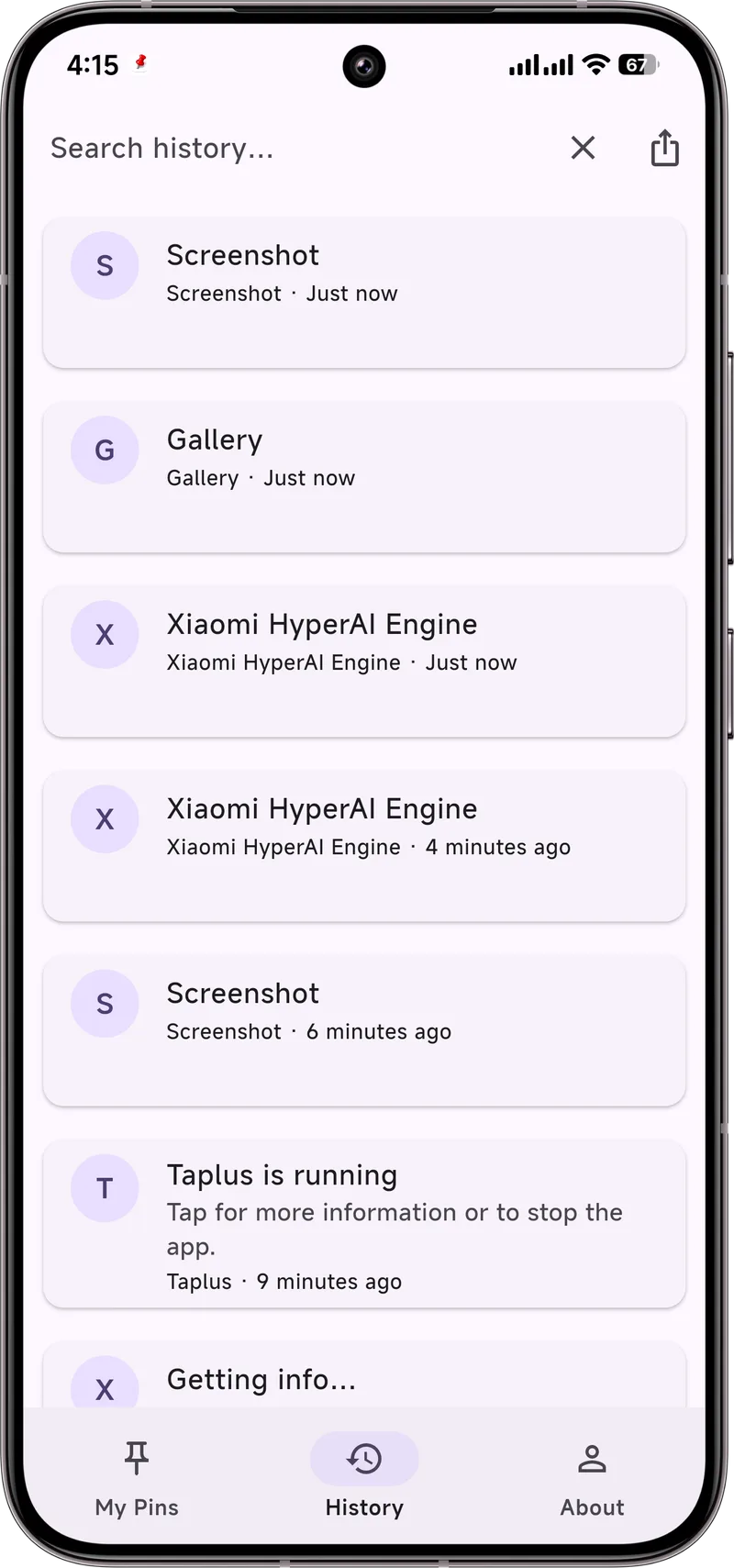
What the Notification Log is
The log records each notification with the sending app, the time, and the text it contained. It is a system diagnostic view, not a user-friendly archive. You cannot search, filter, or export it, and on many phones it is hidden entirely.
How to open it
- Open Settings.
- Tap the search box at the top and type "notification log".
- If your phone exposes it, tap the result to view the list.
On some devices you can add it as a home-screen shortcut using a launcher that supports hidden system "Activities." If the search returns nothing, your manufacturer likely removed it.
Its limits
- Not on every phone. Samsung, Xiaomi, and others often hide or remove it.
- Read-only and flat. No search, no export, no pinning.
- Recent-only. It is not a long-term archive.
A better alternative
If you want something you can actually use — search by keyword, keep beyond 24 hours, and export — Dingpin captures a searchable history from the moment you install it. No hidden menus, no manufacturer lottery.
How to view the notification log
On most modern Android phones (Android 11 and newer), the notification log lives at Settings → Notifications → Notification history. Tap to open it. There is no widget or quick-setting shortcut — it is a Settings screen only. Each entry shows the app, the time, and the content. Sensitive entries (one-time codes, banking alerts) sometimes hide their text behind a tap to reveal.
System log vs. third-party log
The Android system log is useful for one-off lookups but has three meaningful limits:
- It only keeps entries from the past 24 hours. Older entries are wiped automatically.
- It cannot be searched, exported, or filtered by app or text.
- It only records notifications that arrive after you enable the toggle in Settings.
A third-party notification history app like Dingpin stores its own searchable, exportable log from the moment it is installed. It is the answer when "the last 24 hours" is not enough.
Why there is no widget
Android does not expose the system notification log to other apps for security reasons — the log can contain OTPs, financial data, and personal messages. Letting a widget display it on the home screen would make that data visible to anyone glancing at the phone. Only the Settings screen itself can render the log, and only after the phone is unlocked. A dedicated history app like Dingpin handles this by storing its own log locally and only you can choose what to surface in a widget.
What gets logged and what does not
Behavior varies slightly by Android version, but generally:
- Logged: most app notifications, missed-call alerts, system messages, download progress.
- Not logged or hidden until tapped: OTP codes from messaging apps (privacy default on Android 13+), banking alerts flagged sensitive by the app.
- Not logged: active ongoing notifications from foreground services (the music player, the screen recorder, the navigation app) unless you explicitly tap them in.
Common use cases for the log
People open the log for surprisingly practical reasons:
- Finding a code that scrolled off — verify the number from a 2FA message without going through the messaging app.
- Tracking which apps pester you most — the chronological list shows you who spammed you today.
- Confirming a delivery or appointment — if a tracking link disappeared from the shade, the log still has it.
- Looking up a name or address someone sent via chat, that you swiped away.
For more on capturing and using notification history, see recovering notification history, searching notification history, and clearing without losing history.