A cluttered shade is annoying, but clearing it should not mean throwing away the alert you might need later. Here is the distinction that matters.
Clearing vs history
"Clear all" removes the visible notifications from the shade. It does not delete Android's Notification History — those copies linger for roughly 24 hours. The catch: 24 hours, no search, and anything before you enabled history is already gone.
What the system keeps
- Cleared alerts stay in Notification History for about a day.
- You cannot search or export them.
- Once the day passes, they are wiped for good.
Keep it longer with an app
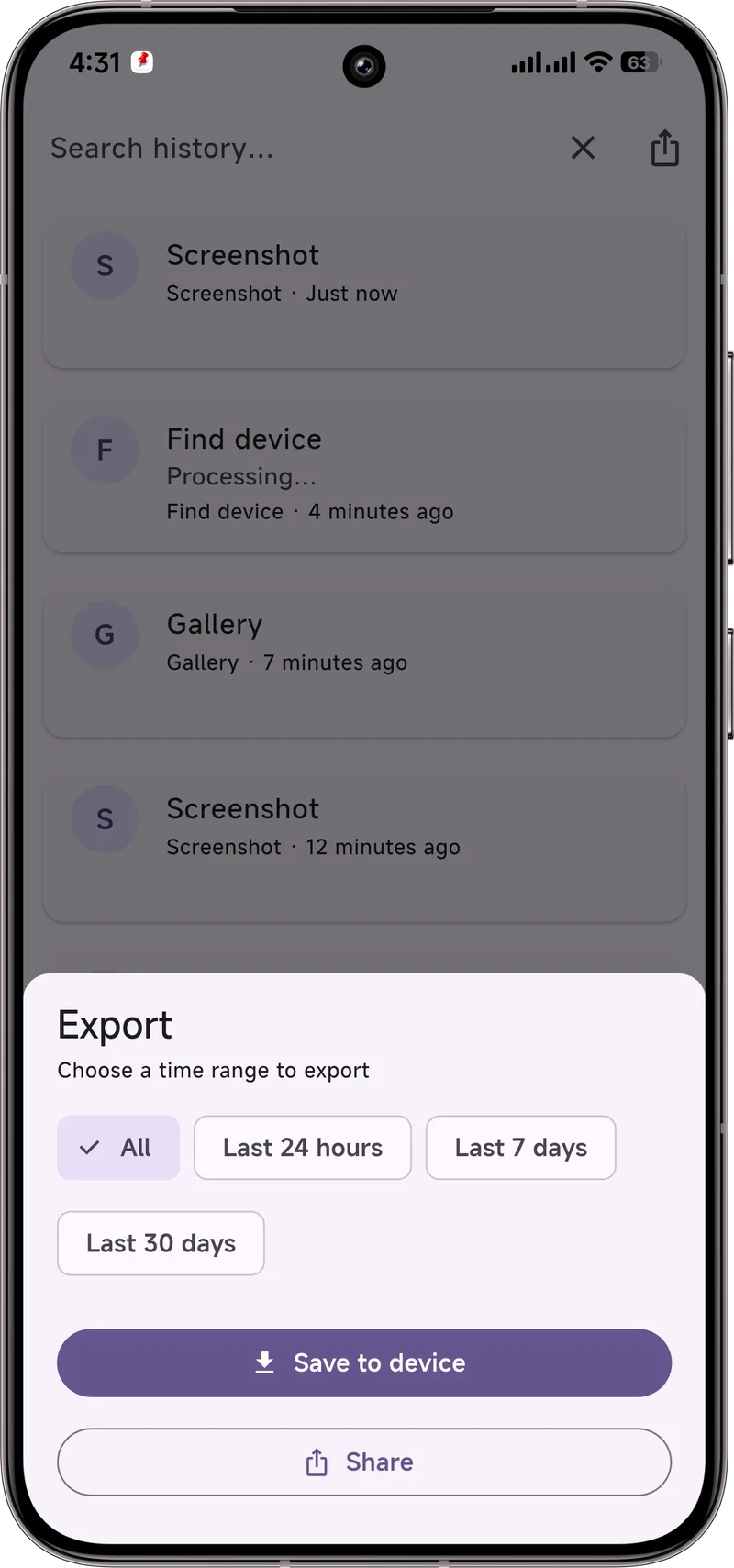
Dingpin stores its own searchable log with no 24-hour cap. Clear the shade as often as you like — the record stays, and you can export by day, week, month, or all whenever you want.
What happens when you tap "Clear all"
Tapping "Clear all" sends a single command to Android's notification service: hide every entry currently in the shade. It is a view command, not a delete command. Underneath, the system has already stored each notification in a separate log called Notification History (Settings → Notifications → Notification history). That copy lives in system memory for roughly 24 hours, independent of what your shade shows. So "Clear all" only clears what you can see, not what was sent.
How each phone brand handles clearing
Stock Android keeps cleared alerts in Notification History. Most other skins follow suit:
- Samsung One UI also retains cleared notifications in its system log, but you can only view them through the Settings path — there is no quick shade shortcut.
- Pixel (stock Android) is the cleanest implementation. Clear all → check Notification History → see what you just removed.
- Xiaomi HyperOS / MIUI adds an extra twist: aggressive battery savers can pause the history feature, so make sure Notification history is on in Settings.
Common mistakes that lose history
The two mistakes that catch most people:
- Enabling history after clearing. If you swipe away a notification, then turn history on, that notification is already gone. History only captures notifications that arrive after you turn it on.
- Waiting more than 24 hours to check. Once the day passes, the system copy is wiped. There is no recycle bin.
A dedicated log app like Dingpin sidesteps both problems: it captures notifications as they arrive, and it keeps them indefinitely until you delete or export them.
A workflow that always preserves important alerts
Use this routine whenever an alert matters:
- Glance at it. Read the shade notification while it is there.
- Pin it if it is not yet handled. Tap the pin icon or use Dingpin to mark it as something you need to come back to.
- Then clear the shade. Now your shade is clean, but the alert is safely pinned for later — no 24-hour race.
This pattern works whether you are clearing one notification or the entire shade. See also: recovering dismissed notifications and viewing the Android notification log.