Star the people who matter
In your Contacts app, mark key people — family, your boss, your doctor — as starred (favorites). Android's priority rules can then treat them specially, so a starred message or call can break through settings that would otherwise silence everyone else.
Let exceptions through DND
When you turn on Do Not Disturb or a Focus mode, open its settings and allow exceptions for priority conversations and starred contacts. That way the phone stays quiet for the world but loud for the few people you chose.
Allow repeat callers
Enable “allow repeat callers” in DND settings. If the same person calls twice within 15 minutes, the second call rings through. It is the classic safety net for emergencies when you forgot to star someone.
Pin the alert you must answer
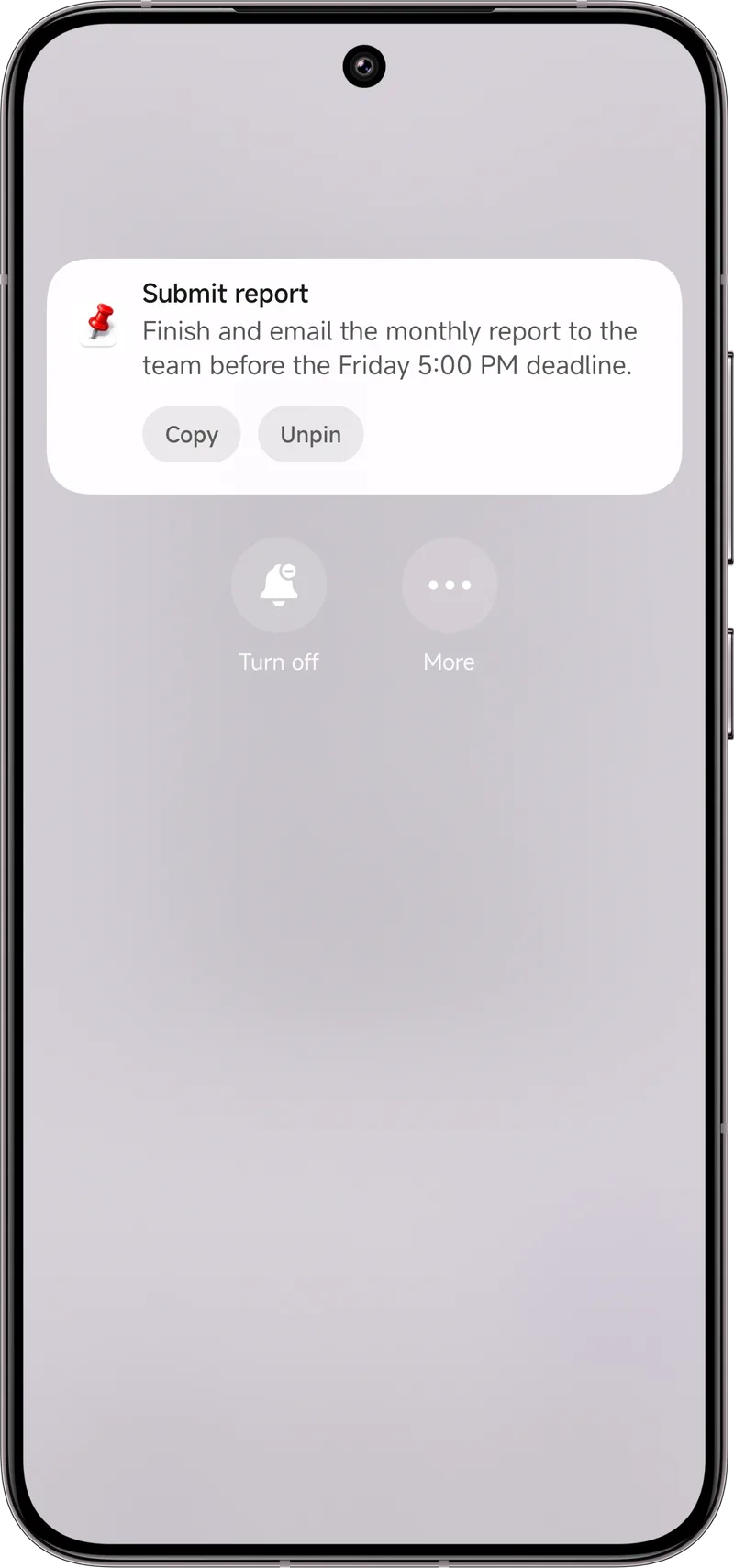
For a message that needs a reply you cannot give right now — a pickup time, an address — pin it with Dingpin. It stays at the top of the shade as a visible to-do so you do not forget to respond when you are free.
Quick setup checklist
- Star your key contacts.
- Set DND to allow starred contacts and priority conversations.
- Turn on repeat callers.
- Pin any message you must act on later.
How starring contacts actually changes behavior
Starring a contact in the Android Contacts app flags them as a favorite. The system then exposes that flag to other apps — most importantly to Phone and Messages, and to DND. The behaviors you unlock:
- In Phone. Starred contacts can be set to "ring even when DND is on."
- In Messages. Some Android versions let starred contacts bypass conversation priority rules, so their chats show with full previews.
- In third-party dialers and SMS apps. Most honor the starred flag for priority filtering.
To star someone: open Contacts, tap the contact, tap the star icon. They appear in a "Favorites" tab in the Phone app.
Priority conversations in messages
Modern messaging apps support a second tier above starred contacts: priority conversations. These are specific chat threads you mark as important (long-press a conversation, choose "mark as priority"). Priority conversations can:
- Show with full previews even when notifications are otherwise hidden.
- Bubble up to the top of the conversation list.
- Bypass certain focus modes that mute non-priority chats.
Why "repeat callers" matters
The repeat-caller rule is built for one scenario: someone calls you in an emergency and you did not star them. If the same number calls a second time within 15 minutes (3 minutes on some phones), the second call rings through at full volume regardless of DND. This is the safety net that catches calls from doctors, schools, or anyone not yet on your starred list when something goes wrong.
Set channel importance correctly
Beyond starring and DND, make sure each chat app's notification channel for "messages" is set to Urgent or High importance. Otherwise, the system may treat all messages as low-priority even from starred contacts. See notification importance for the full breakdown of channels.
When nothing works — back to basics
If a critical message still slips through after all the above, check three more things:
- Is the conversation muted? Long-press a chat in Messages to see if it has a mute icon.
- Is the app's battery optimization aggressive? Some "battery saver" modes kill background notifications entirely.
- Is the phone's main Do Not Disturb actually off? Easier than it sounds: some focus modes auto-activate on a schedule.
Once a message does arrive, pin it so you do not forget to reply: pin notifications on Android. For the broader story, see also: Do Not Disturb and Focus Mode and keep important notifications from disappearing.