What a media notification is
A media notification is the playback card that appears in your shade when music, podcasts, or video are playing. It carries play, pause, skip, and seek controls plus the app name and artwork.
What you can control
Tap play or pause, skip forward or back, drag the progress bar, and on many phones adjust the output device (phone, Bluetooth, speaker) right from the card. Output switcher and thumbnail also live there.
Why it sometimes will not go away
Media notifications are usually persistent: the card stays while audio keeps playing in the background, even with no visible app. Clearing it stops playback. A "persistent" tag is normal for players.
How to remove it
Swipe the card away to stop the player and dismiss it. If an app leaves a stuck media card after playback ends, force-stop the app or clear its notifications from Settings → Notifications → App notifications.
A note worth keeping
A media card controls sound; it does not keep your other reminders visible. For an alert you must not lose — an address, a code — Dingpin pins it to the top of the shade alongside the player.
How Android handles media sessions
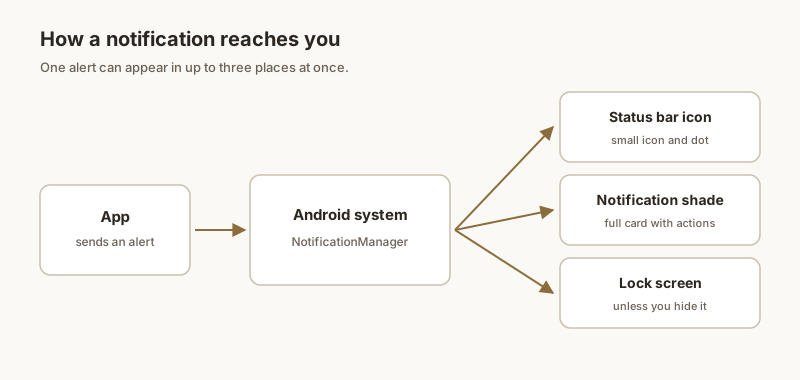
When any audio or video app starts playing, Android gives it a media session. This session is what surfaces the playback card in the shade, on the lock screen, and on connected devices like Bluetooth speakers or Wear OS watches. The session stays "live" for as long as playback is ongoing — pausing does not always end it, only stopping or closing the source app does.
Multiple players in the shade
Modern Android handles overlapping media sessions gracefully. If Spotify is playing in the background and you start a YouTube video, only one session is "active" — typically the most recently started. The other player pauses or hides its notification. Switchers (Android 13+) let you jump between sessions in one tap, which is convenient when music is on in the background and you want to control a podcast too.
Detailed controls by app
The exact controls shown depend on what the app exposes to the system:
- Music and podcast apps usually show play/pause, skip forward/back, and a progress bar.
- Video apps sometimes hide the full controls and only show pause, requiring you to open the app for more.
- Voice recorders and audio editors may show record/stop controls.
- Phone calls generate a media-style notification too, with mute, speaker, and hang-up controls.
Switching output device
The output switcher (the small icon near the play controls on Android 13+) lets you route audio to a Bluetooth speaker, headphones, or the phone itself in one tap without opening the app. Useful when you walk in the door and want to send music from your headphones to a speaker without digging through settings.
Fixing stuck media notifications
Two patterns where media cards get stuck:
- App crashed mid-playback. Force-stop the app from Settings → Apps → [app] → Force stop. The card clears.
- Bluetooth device disconnected oddly. Some apps do not release the media session cleanly when Bluetooth audio cuts out. Clearing the app's notifications from Settings → Notifications → App notifications usually resolves it.
For the broader story on keeping important notifications visible, see also: pinning notifications on Android, persistent notifications, and silent notifications.