If your Galaxy suddenly stops making noise after an app spams you with several alerts, you have probably hit Samsung's notification cooldown. It is a polite feature — it lowers the volume so you are not blasted — but it also means important later pings can arrive almost silently. Here is how it works on One UI and how to control it.
What notification cooldown does
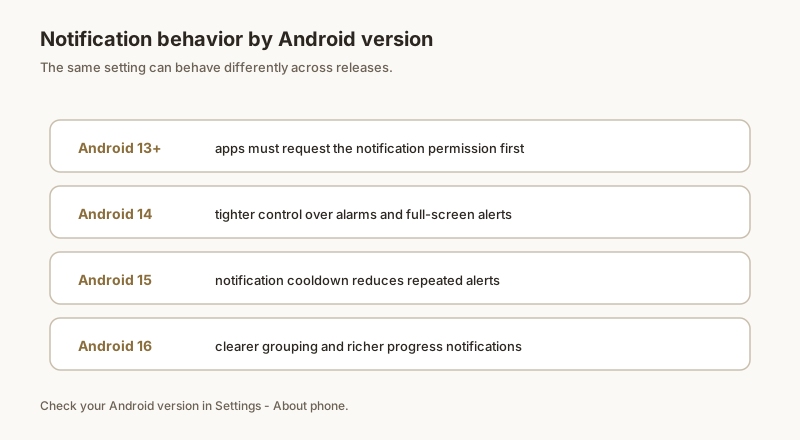
Cooldown is Samsung's implementation of the Android 15 notification cooldown behavior. When a single app sends multiple notifications back to back, One UI gradually reduces the alert sound for that app:
- The first notification plays at your normal volume.
- The next few from the same app play quieter, then may go fully silent for a short window.
- After a pause, the cycle resets and the next ping is loud again.
It only affects sound — the notification still appears in your shade. But if you rely on sound to notice delivery, OTP, or work alerts, those later pings are easy to miss.
Where the setting is in One UI
On One UI 7 (Android 15):
- Open Settings.
- Tap Notifications.
- Tap Notification cooldown.
- You will see a master toggle plus a list of apps currently affected.
On older One UI versions the same idea sometimes hides under Sound and vibration → Volume → (settings gear) → Notify when volume is down, or is simply not present (those builds play every alert at full volume).
How to turn it off
- Go to Settings → Notifications → Notification cooldown.
- Switch the toggle off.
- Every notification from every app will now ring at its normal volume, every time.
If you only want a specific chatty app to stop being quieted, you can instead lower that app's importance or mute it directly — see muting notifications per app.
When alerts still go silent
Turning cooldown off does not fix every "I missed a notification" case. Other common causes on Galaxy:
- Do Not Disturb or a Focus mode is active.
- The app's notification channel is set to silent or "minimal".
- The notification was dismissed before you saw it.
This is where a history app helps: Dingpin keeps a local, searchable log of every alert that arrived, so even if cooldown (or DND) muted the sound, you can scroll back and read exactly what you missed. It pairs well with Galaxy because it adds the "nothing gets lost" layer One UI's 24-hour buffer lacks.
What cooldown is
Notification cooldown is a Samsung One UI feature that suppresses duplicate alerts within a short time window. If an app posts three messages in 5 seconds, the first alerts normally and the next two are silenced. The idea is to prevent notification spam from active group chats or rapid-fire updates.
How to enable cooldown
- Settings → Notifications → Notification cooldown.
- Toggle on.
- Optionally adjust the cooldown window (default is usually 8 seconds).
Cooldown applies to which apps
Cooldown affects all apps that post notifications within the cooldown window. You cannot enable it per app — it is system-wide. If you want cooldown for chat apps but full alerts for delivery apps, there is no built-in way; the workaround is to keep cooldown on and pin critical alerts with Dingpin.
How cooldown interacts with other settings
Cooldown respects:
- Importance level. Cooldown silences Lower-importance alerts more aggressively than Urgent ones.
- Channel settings. Already-silenced channels are unaffected.
- DND. Cooldown is layered on top of DND, not instead of it.
When to disable cooldown
Some users disable cooldown because they want every alert:
- Real-time chat conversations with rapid back-and-forth.
- Trading or sports apps where each update matters.
- Work apps with high-priority alerts.
For most users, cooldown on is calmer. Pin critical alerts to ensure nothing important slips through. See also: how to silence notifications on Android and how to pin notifications on Android.
Official documentation
If you want to check anything against the source, these are the pages this guide is based on:
FAQ
What is notification cooldown on Samsung?
It is a One UI behavior (built on Android 15's notification cooldown) that gradually lowers the alert volume when the same app sends several notifications in a row. The first ping is loud; the next few get quieter so you are not spammed with full-volume sounds.
Where is the cooldown setting on Samsung?
Open Settings → Notifications → Notification cooldown. On One UI 7 (Android 15) you can toggle it off entirely or keep it on. Some older One UI versions expose the same idea under Sound and vibration → Volume → (gear) → Notify when volume is down.
Why do my Samsung notifications suddenly go silent?
If one app keeps notifying you, cooldown ramps the sound down so later alerts may be nearly silent. Turn off Notification cooldown, or use a history/log app like Dingpin so you can still read every alert you missed even when the sound was muted.